
سفارشیسازی سبکها در Web
Original Bizagi title: Modeler > Bizagi Modeler > Desktop Application > Generating documentation > Publish to Web > Customize styles in Web
مدلر / Bizagi Modeler / نرمافزار دسکتاپ / تولید مستندات / انتشار در Web / سفارشیسازی سبکها در Web
Overview
You can customize your Web output styles to adjust to your corporate standard.
Bizagi provides two ways to customize the web output colors: a basic customization where the main colors can be changed, and the advanced css customization.
Basic customization
Once the Model has been published access the folder where the output is located and find the key.json.js file.
Ope the file with a text editor.
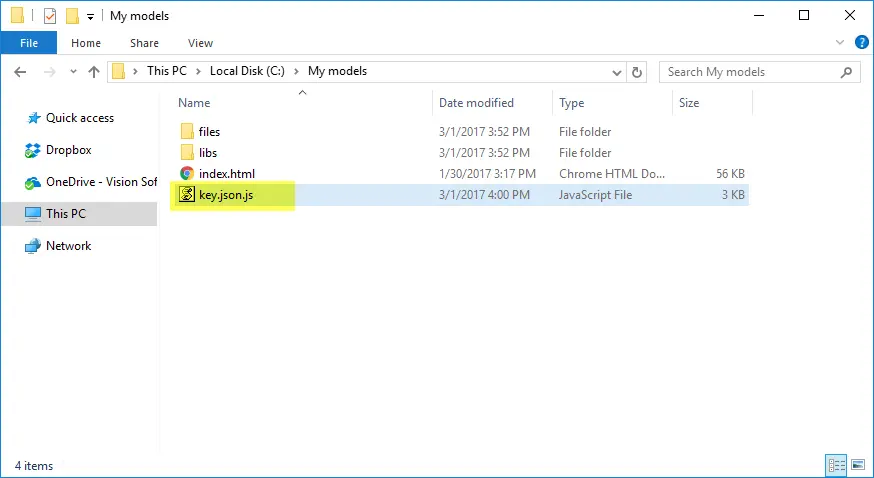
Change the useTheme value to true, to enable the customization.
On the bottom of the file you will find the list of styles that can be changed.
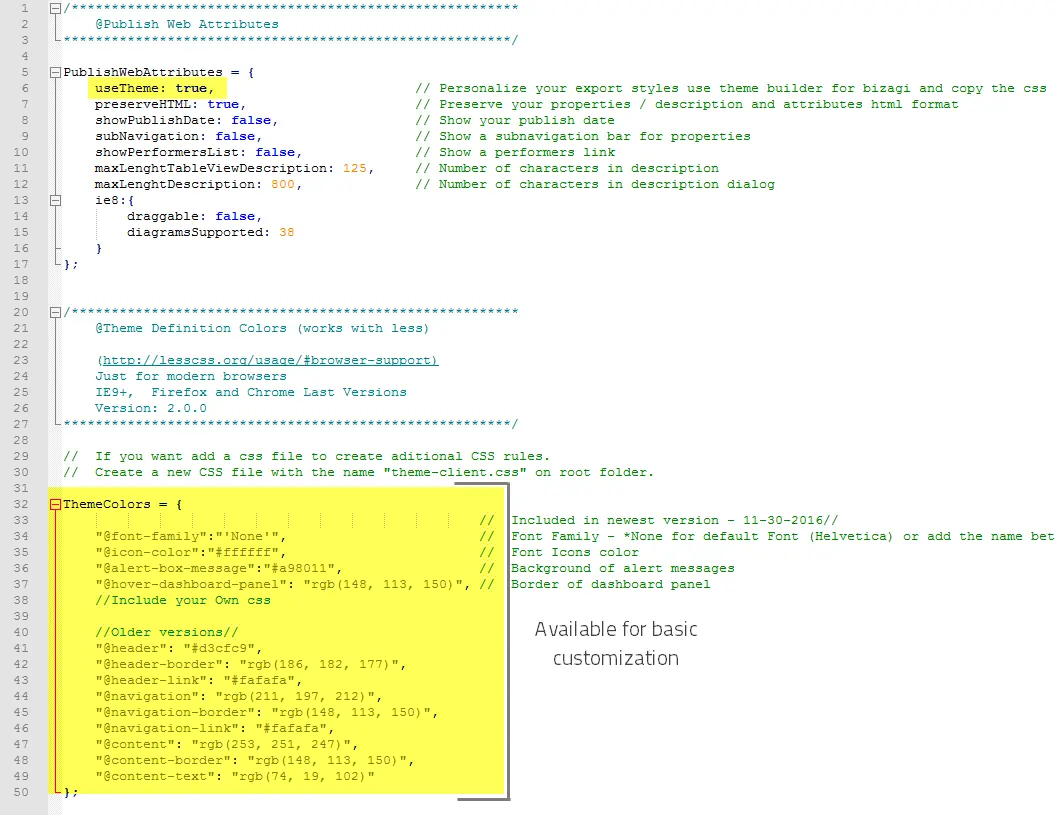
Change the font family, the search icon, the background of the alert messages and the border of the dashboard panel when the mouse is hover.
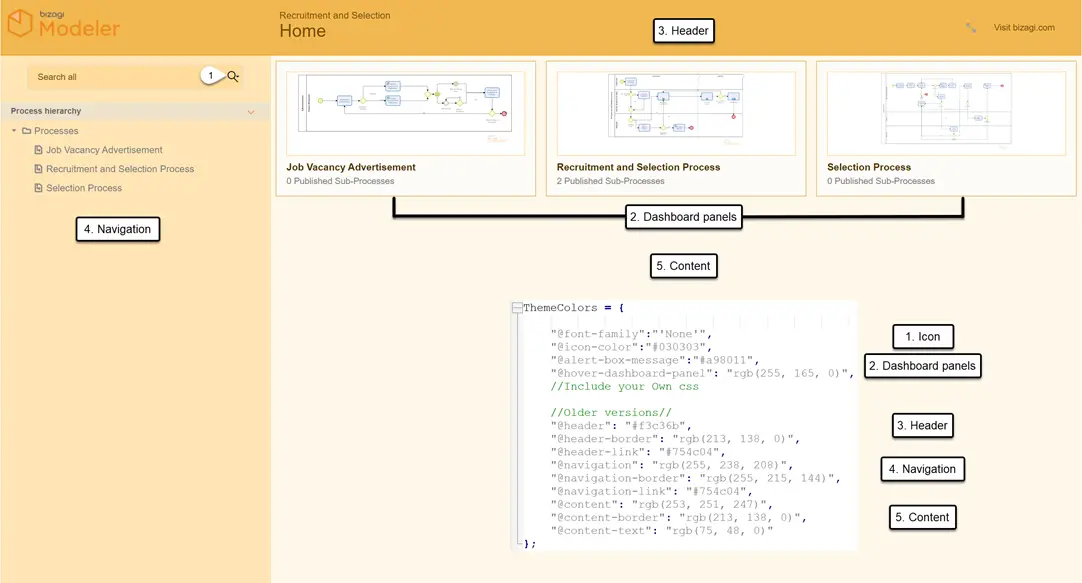
Further, change the color style color of the header, the navigation bar and the content panel. Save the file to view the changes in your site
The first option of each section is the background color. The second option is the border of the section. The third option (link) refers to the font color.
Advanced css customization
For advanced css users, a .css file is available to customize the styles as you desire.
Once the Model has been published access the folder where the output is located and find the key.json.js file.
Ope the file with a text editor.
Change the useTheme value to true, to enable the customization.
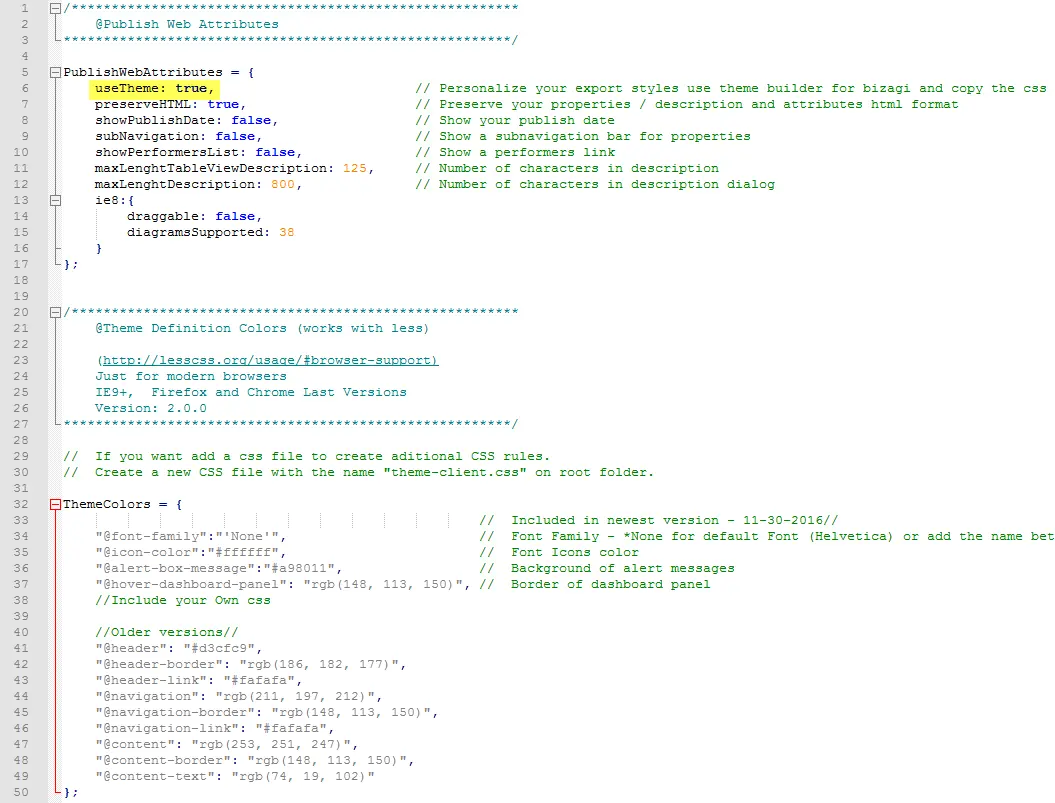
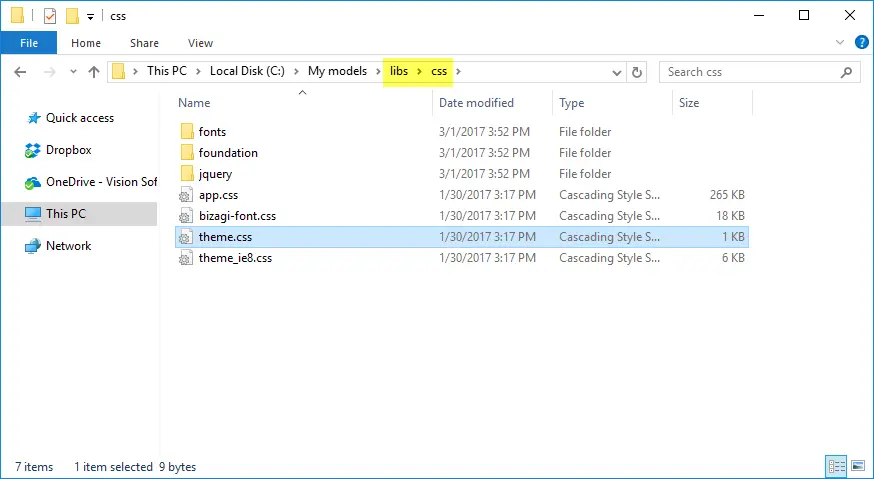
Open the .css file located in libs/css/theme.css and perform the desired changes.
Last Updated 6/29/2022 11:33:06 AM