
استفاده از Asset مربوط به Bizagi
Original Bizagi title: Low-code Process Automation > Studio Cloud - Authoring environment > Bizagi Studio > Bizagi from external applications > Bizagi API > OData RESTful services > Using Bizagi API in middlewares > Using OData with RAML > Using the Bizagi asset
اتوماسیون فرایند Low-code / محیط طراحی Studio Cloud / Bizagi Studio / استفاده از Bizagi از برنامههای خارجی / Bizagi API / سرویسهای RESTful مبتنی بر OData / استفاده از Bizagi API در Middlewareها / استفاده از OData با RAML / استفاده از Asset مربوط به Bizagi
An asset in Mulesfot is a global component that contains the API configuration of an system, for example, Bizagi. You can now use this asset in applications or projects built in Anypoint. This article explains how you can use the Bizagi asset you configured.
Create an application
In Anypoint, you can create a Mule application, in which you can use all the Bizagi API methods included in the asset. To do that, access the Design Center:
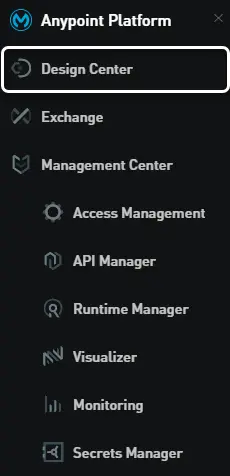
Click Create:

Click Create new application:
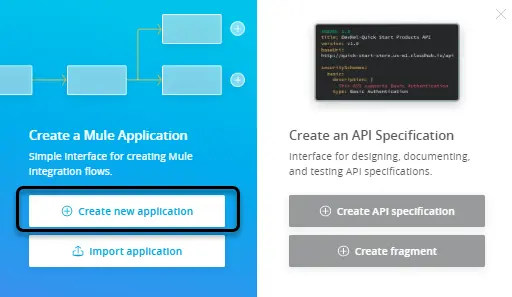
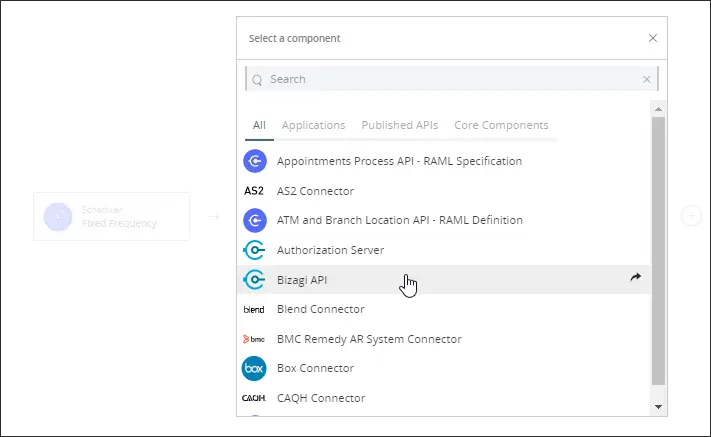
Here you can create a workflow, that other applications or scheduled event can trigger. Click the plus (+) symbol after the trigger and select the Bizagi API:
Select the OData method that you want to invoke:
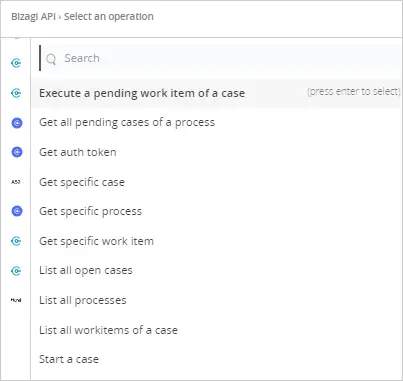
For example you can select Start a case.
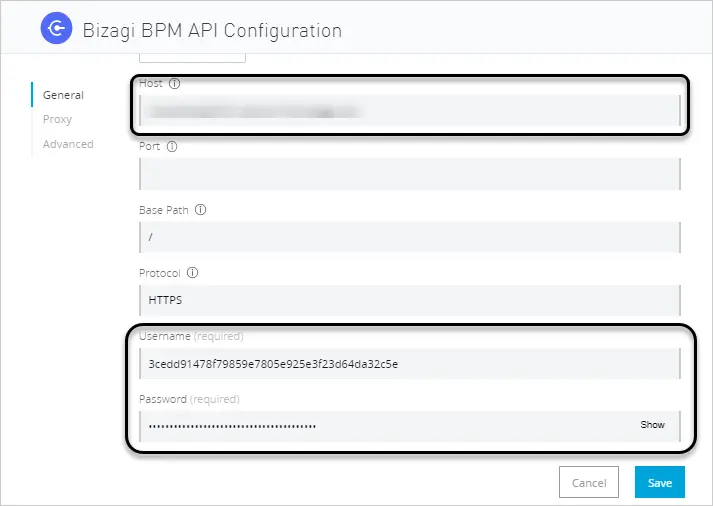
You first need to create a configuration, where you define the URL of the Bizagi environment, and credentials. Then click the module to add a connector configuration:

Set the host as the URL of your Bizagi environment, and the credentials are the OAuth 2 Client ID and Client secret:
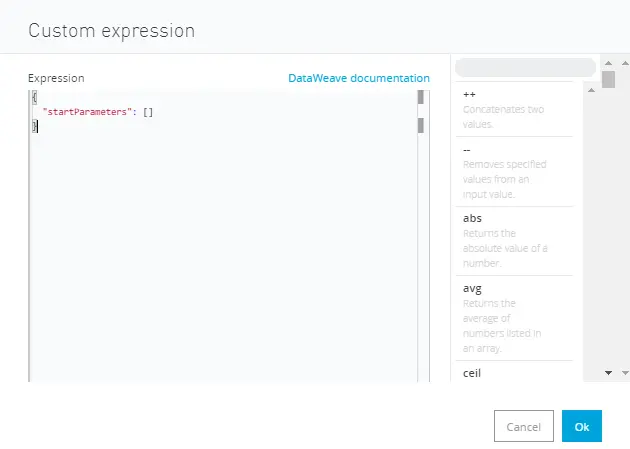
This is a POST method, so it requires inputs. Consult the input structure in the asset's configuration, in the Exchange module of Anypoint, or in our OData index. Depending on the method selected, you have different configuration variables. Click the payload and set the body of the input:
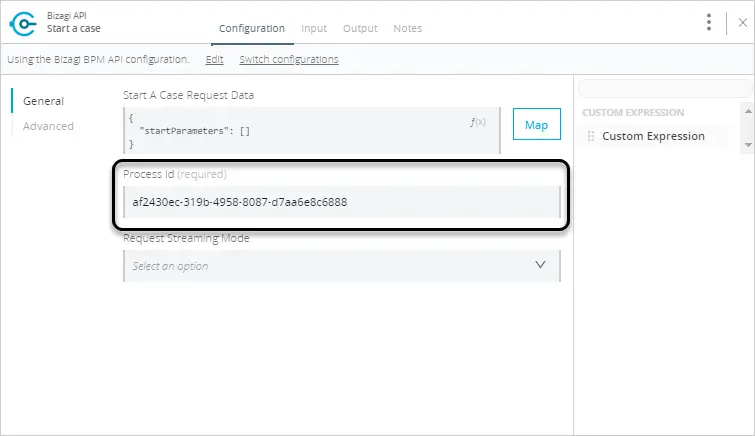
Then register the process ID:
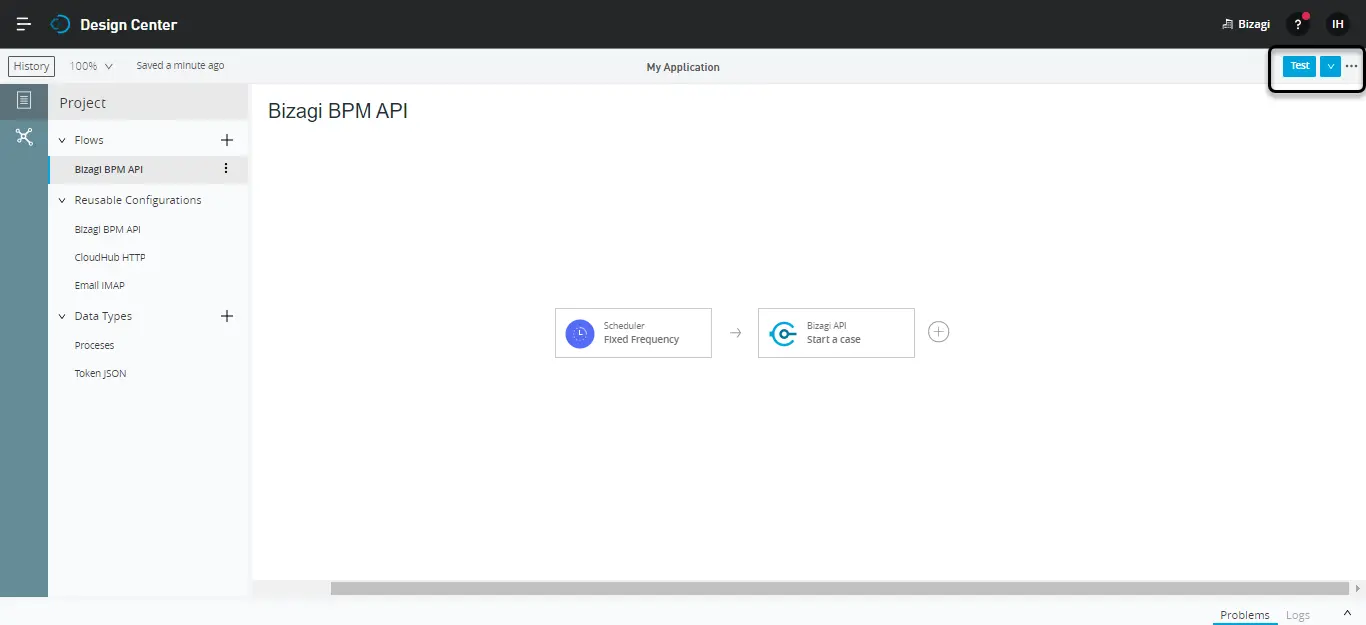
Finally test the workflow by clicking the Test button at the top-right corner:
Open the Bizagi API module, and review the output, find the method response. In this example, the response incluldes the case number created.
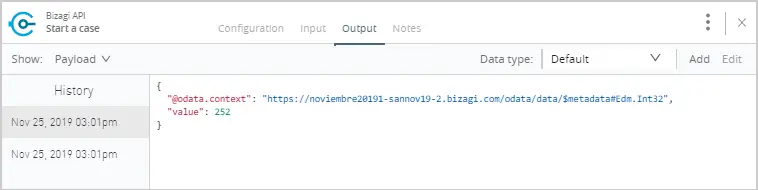
You can find the same case number created in your Bizagi environment Work Portal.

Last Updated 2/26/2024 2:46:01 PM