
نادیدهگرفتن Ruleهای تخصیص
Original Bizagi title: Low-code Process Automation > Studio Cloud - Authoring environment > Bizagi Studio > Process wizard > Performers > Skip allocation rules
اتوماسیون فرایند Low-code / محیط طراحی Studio Cloud / Bizagi Studio / Wizard فرایند / Performers / مجریان / نادیدهگرفتن Ruleهای تخصیص
In order to carry out unitary tests in the Development environment, there is usually the need to concentrate on the flow, without using allocation rules. For this purpose, Bizagi has a property that can be enabled for a user to log in, and create cases that will ignore allocation rules.
The Admin user will have this option enabled by default. We recommend to retain the default for this user.
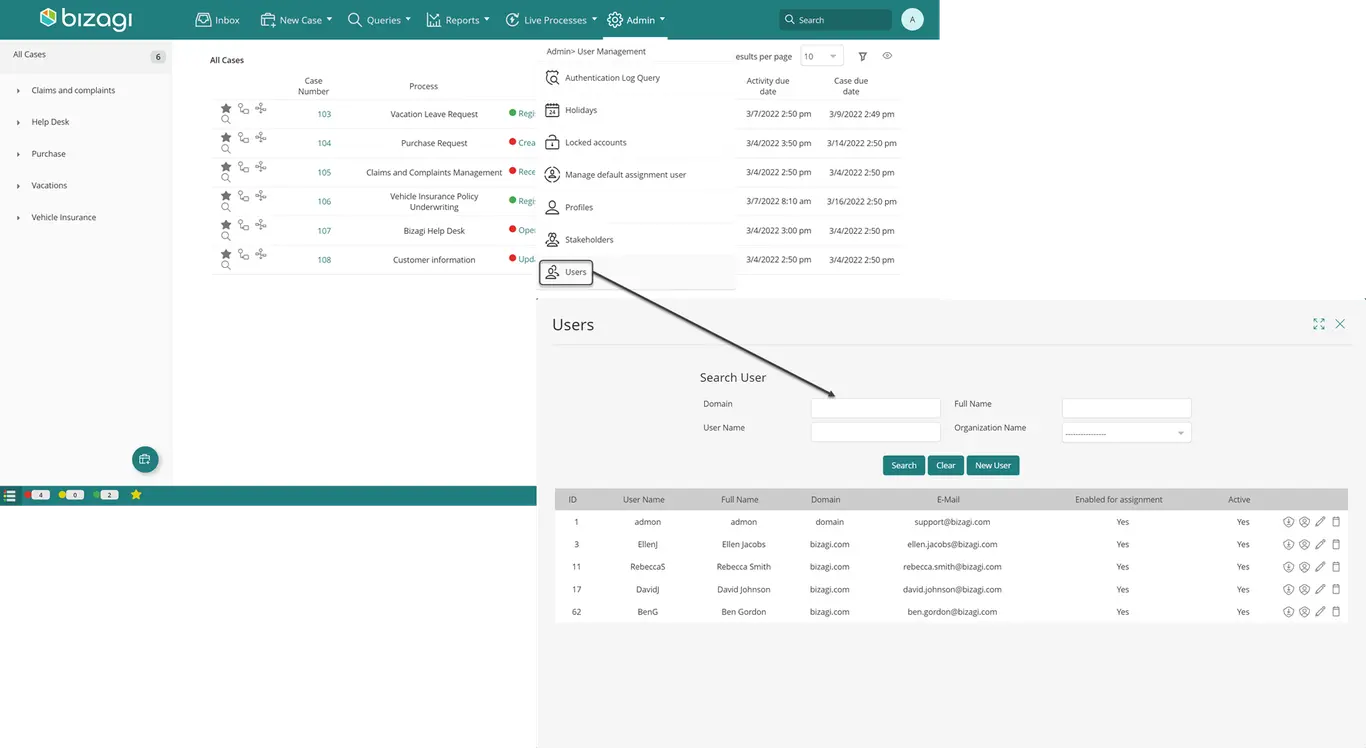
To configure which users can skip allocation rules, on the Work Portal go to the Admin and search for the user.
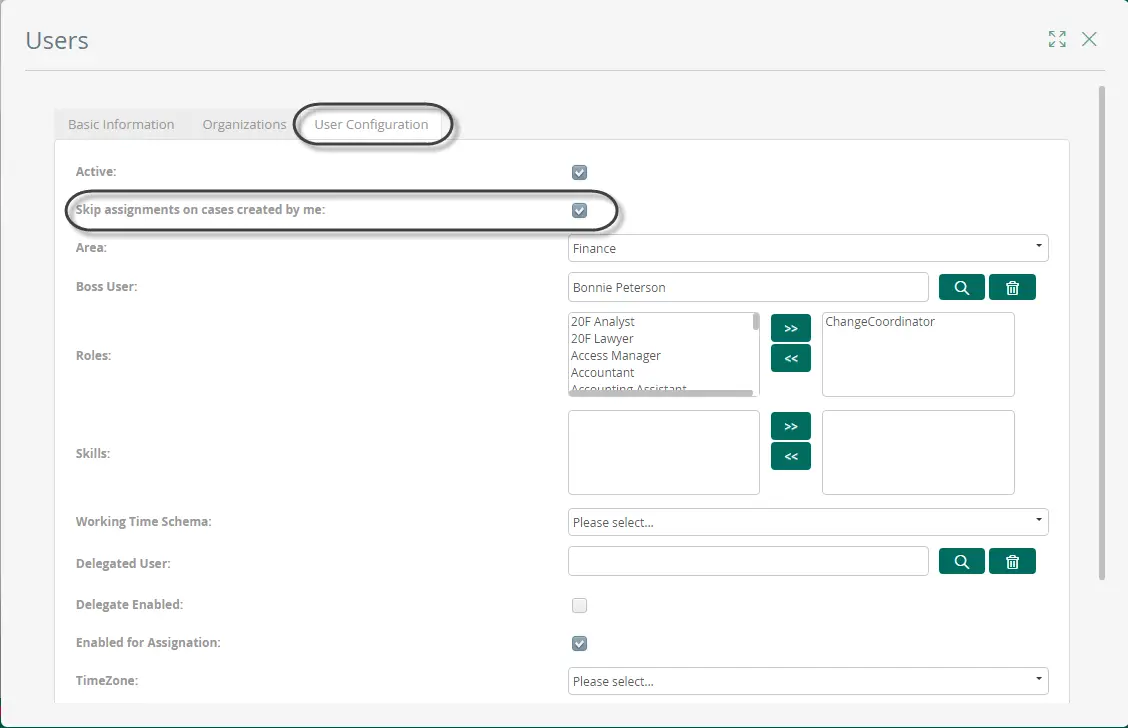
On the third tab, Enable the option: Skip assignment rules on cases created by this user. Finally click Update
Last Updated 1/23/2023 12:05:09 PM