
پشتیبانی چندزبانه
Original Bizagi title: Modeler > Bizagi Modeler > Desktop Application > Multilanguage support
مدلر / Bizagi Modeler / نرمافزار دسکتاپ / پشتیبانی چندزبانه
Overview
Bizagi Modeler support multiple languages (10).
The user interface is multilingual and it supports:
•English
•Spanish
•German
•French
•Portuguese
•Russian
•Chinese (simplified)
•Dutch
•Italian
•Japanese
Multilanguage in Bizagi Modeler
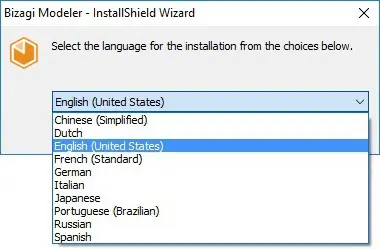
At the start of the Bizagi Modeler installation, you will be prompted to select the language of your preference.
Once selected, all text will be displayed in the chosen language throughout installation and in the use of the product from this point on; even though others languages are shipped in and will also be available.
Once Bizagi Modeler is installed, you can change the displayed language at any time.
This is done by selecting a language from the Language drop-down list, located at the upper right corner.
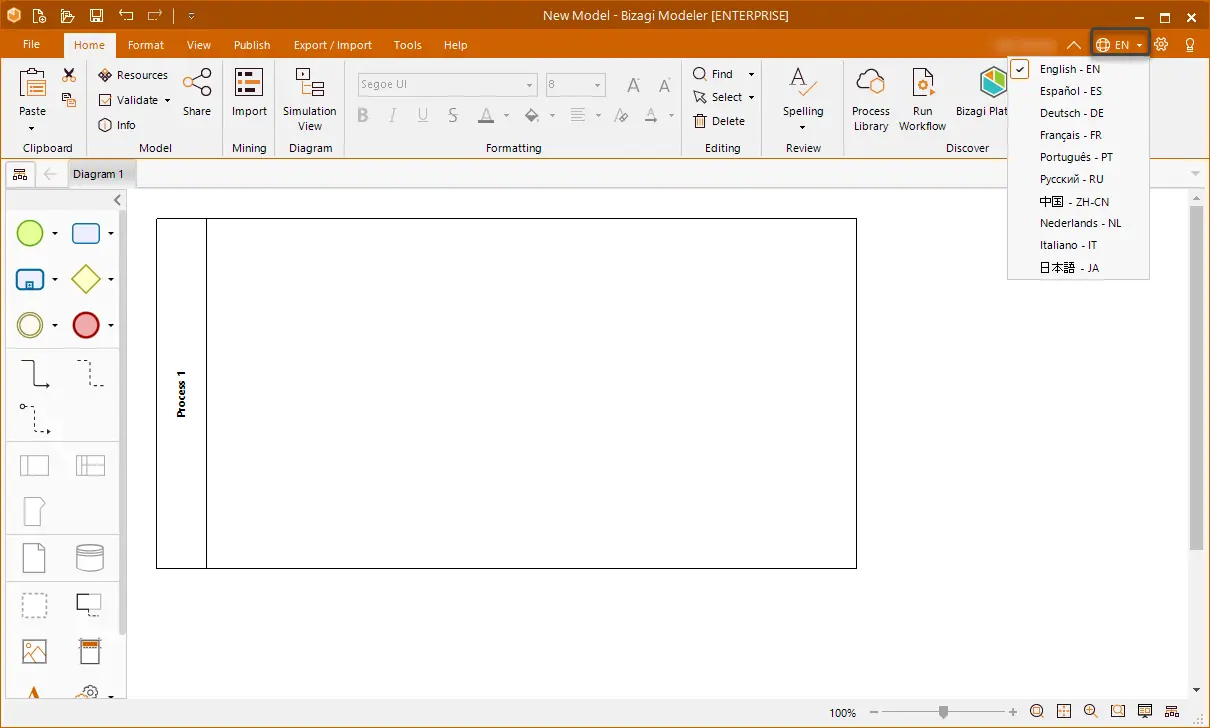
For changes to take effect, you will need to restart the application.
Multilanguage in the Process Library
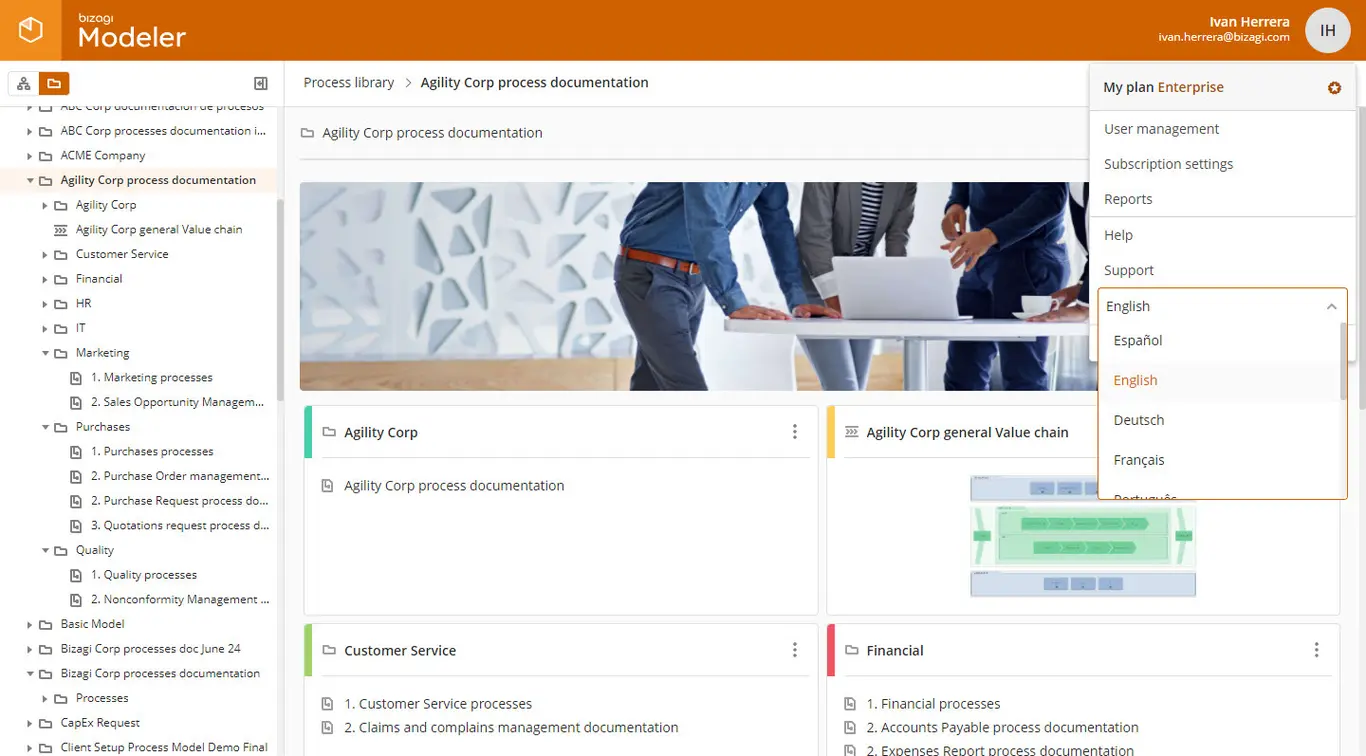
When accessing to the Process Library, you can configure your profile so that it is set to use a specific language.
This is done by clicking on your user's information or avatar, and then selecting the language of your preference.
Last Updated 1/7/2022 8:54:16 AM