
گنجاندن اطلاعات بازگشتی از یک Rule
Original Bizagi title: Low-code Process Automation > Studio Cloud - Authoring environment > Bizagi Studio > Process wizard > Business Rules > Defining notifications > User configured notifications > Include information returned by a rule
اتوماسیون فرایند Low-code / محیط طراحی Studio Cloud / Bizagi Studio / Wizard فرایند / Ruleهای کسبوکار / قواعد کسبوکار / تعریف اعلانها / اعلانهای پیکربندیشده توسط کاربر / گنجاندن اطلاعات بازگشتی از یک Rule
You can include values returned by a business rule in E-mail messages.
|
You cannot include collections, or file type attributes included within a collection. For example, if you use something like <Entity.Collection.FileAttribute> within the rule, Bizagi will not attach the files to the email. |

To include a rule type the open angle bracket '<', select Rule, and type a colon ':'
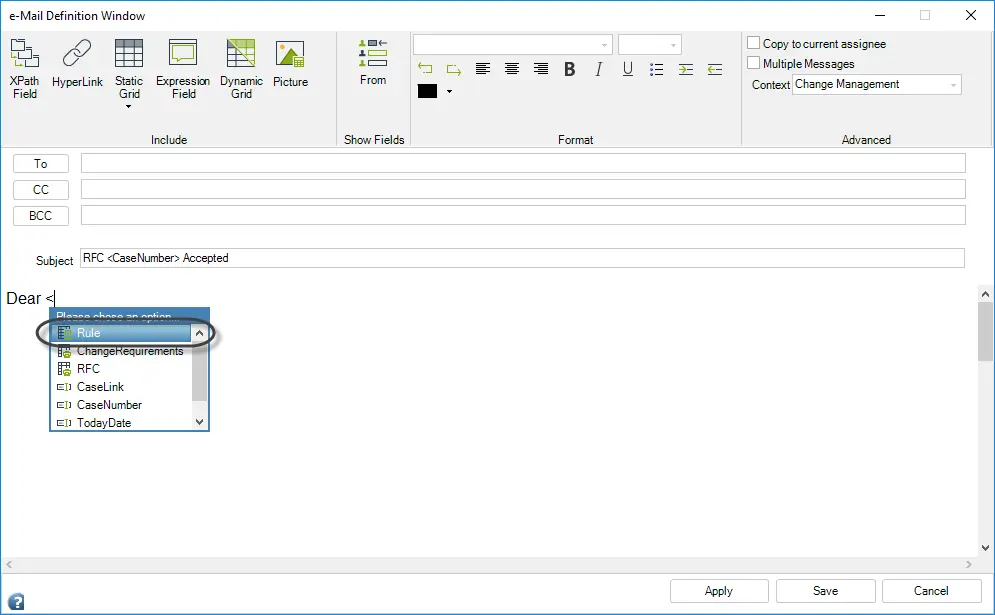 ñ
ñ
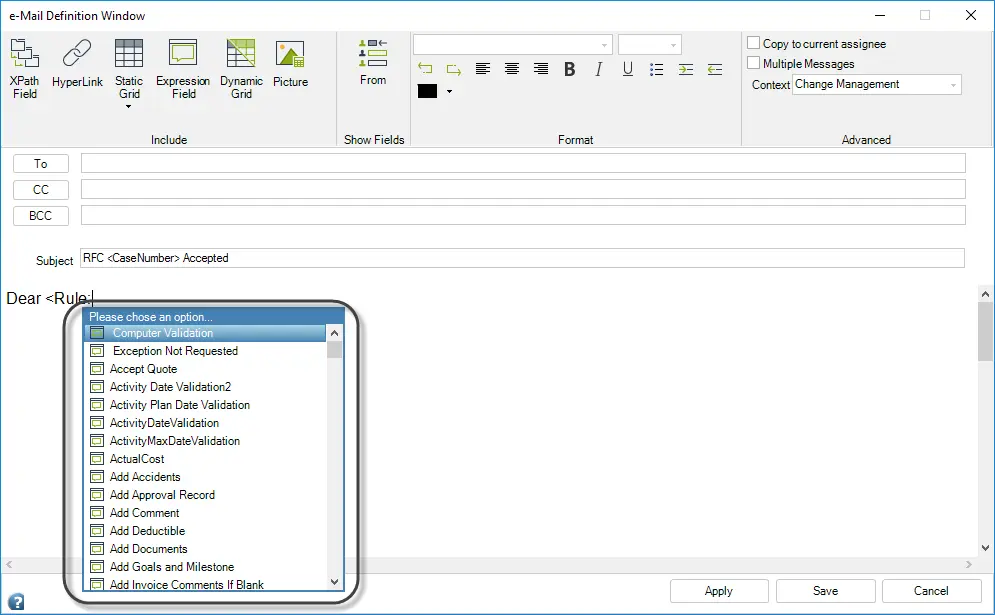
The names of all the Scripting Rules that have been created for the Process will be displayed in a new window.
Click the desired rule to relate it to the message. Remember to end the statement with the close angle bracket: '>'.
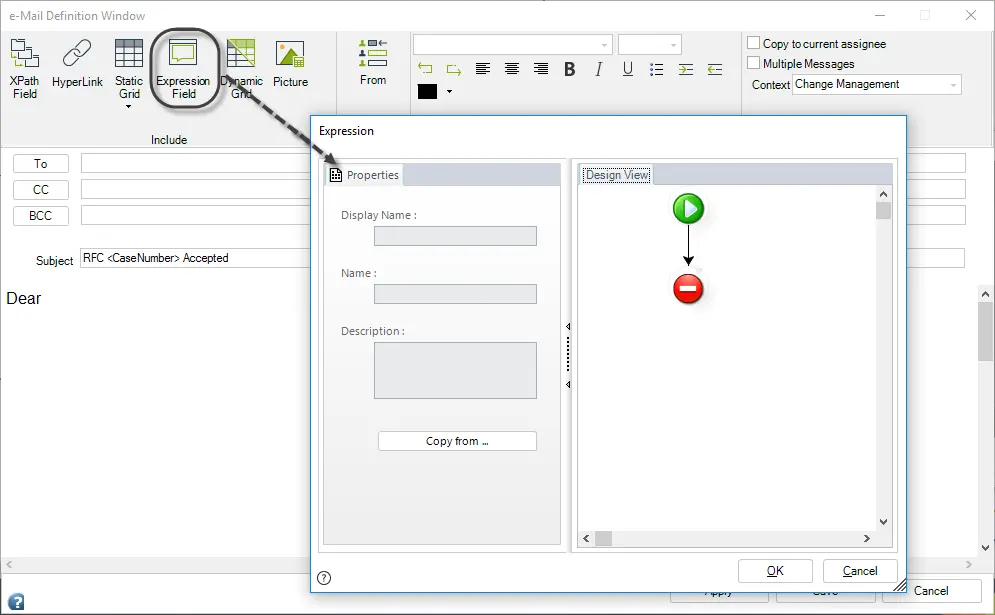
Rules can also be included in the template by clicking the Expression Field button. A window will be opened so that the user can create a rule.
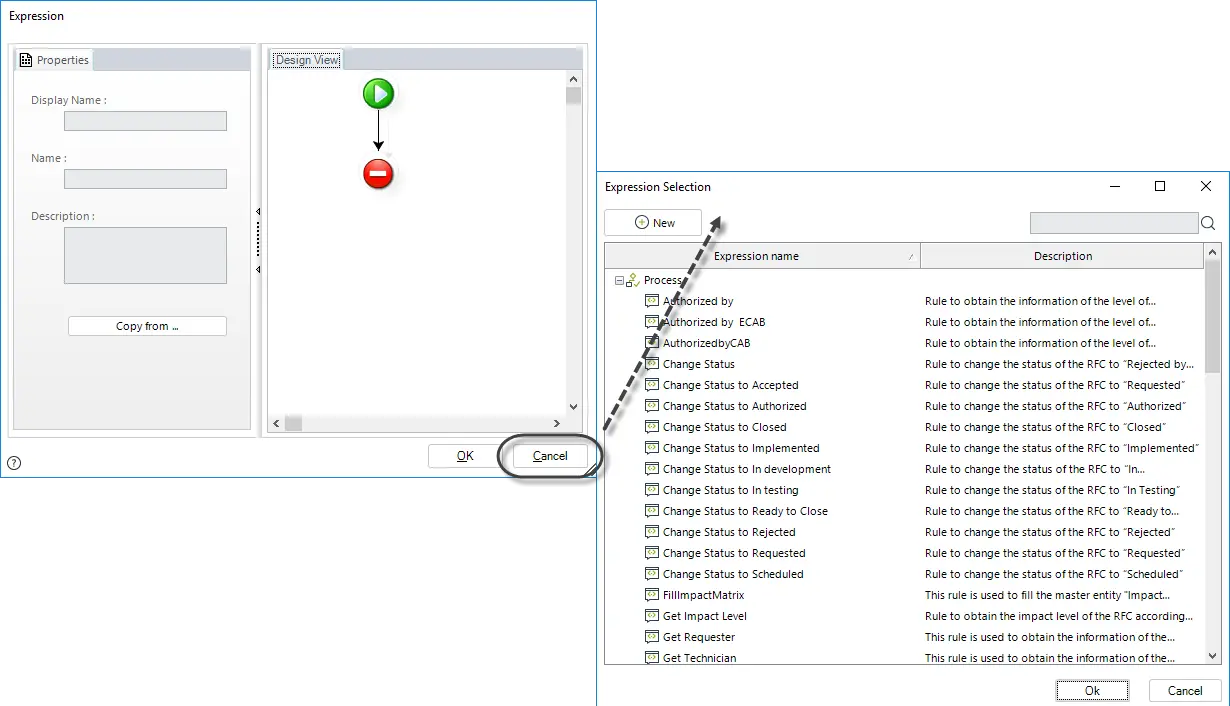
If the rule has been created previously, click Cancel and select the desired expression.
Last Updated 2/24/2022 5:05:03 PM