
وارد کردن نمودار از BPMN
Original Bizagi title: Low-code Process Automation > Studio Cloud - Authoring environment > Bizagi Studio > Process wizard > Model Process > Importing diagrams > Import diagram from BPMN
اتوماسیون فرایند Low-code / محیط طراحی Studio Cloud / Bizagi Studio / Wizard فرایند / مدلسازی فرایند / وارد کردن نمودارها / وارد کردن نمودار از BPMN
Bizagi Modeler allows importing diagrams created with other modeling tools that comply with the BPMN 2.0 xml format, to Bizagi Modeler.
For more information about the currently supported BPMN version, refer to Supported standards.
To import your diagrams follow the steps below.
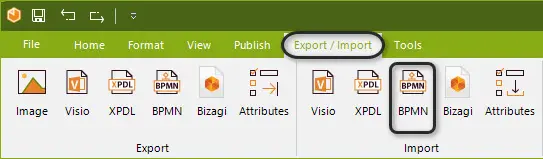
1. On the Export/Import tab, in the Import group, click BPMN.
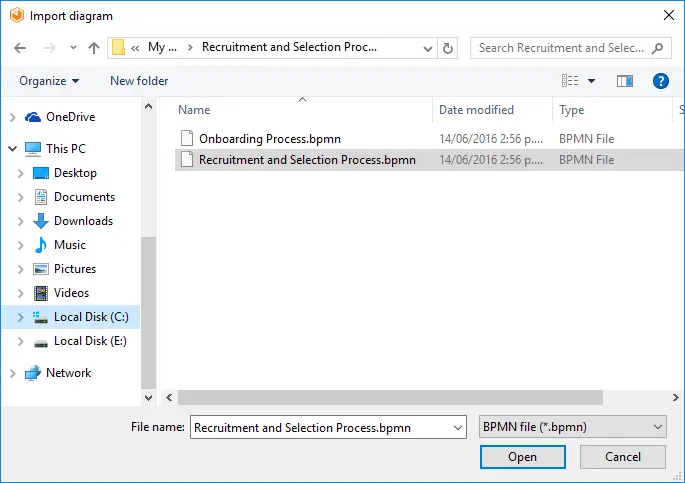
2. Browse and select the .bpmn file and click the Open button.
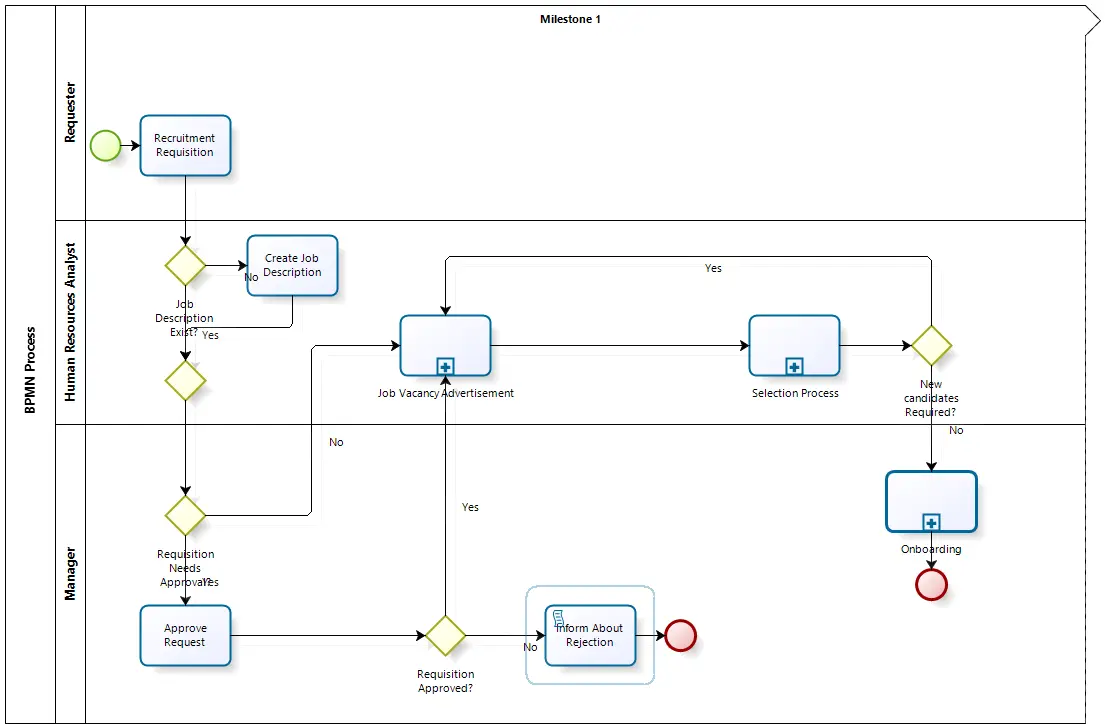
3. The BPMN file load and you will be able to edit the diagram in Bizagi Modeler. It will appear as if the diagram was created directly in Bizagi Modeler.
Last Updated 7/5/2023 10:54:12 AM