
فرمت Header و فرمت کلی
Original Bizagi title: Low-code Process Automation > Studio Cloud - Authoring environment > Bizagi Studio > Process wizard > Define Forms > Form Controls > Control list > Table > Header Format and Format
اتوماسیون فرایند Low-code / محیط طراحی Studio Cloud / Bizagi Studio / Wizard فرایند / تعریف فرمها / Controlهای فرم / فهرست کنترل ها / Table / جدول / فرمت Header و فرمت کلی
In this article, you can see how a Table is displayed with the configured Format and Header Format components across various Bizagi services.
Configuration
This is the configuration applied to the Format and Header Format components.
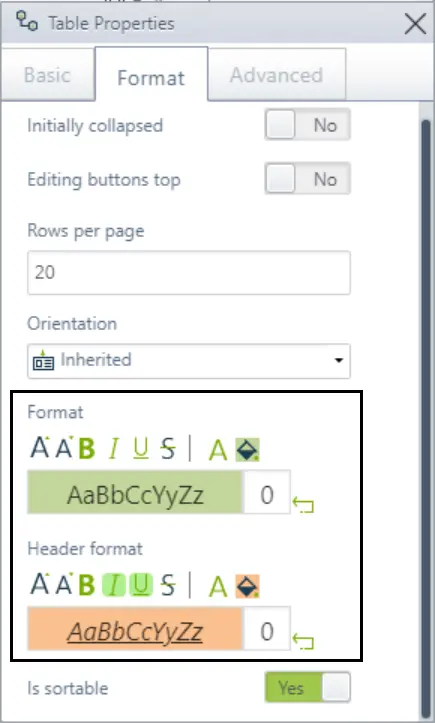
|
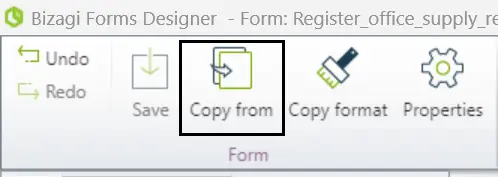
Note that when you configure the Format and Header Format components, they are unique to the specific form you have set them up in. Therefore, if you use the Copy from option to import the table into a new form, you will need to reconfigure the Format and Header Format components, as they will not be imported. For more information on how to copy Forms, refer to the Using Copy From article.
|

Studio
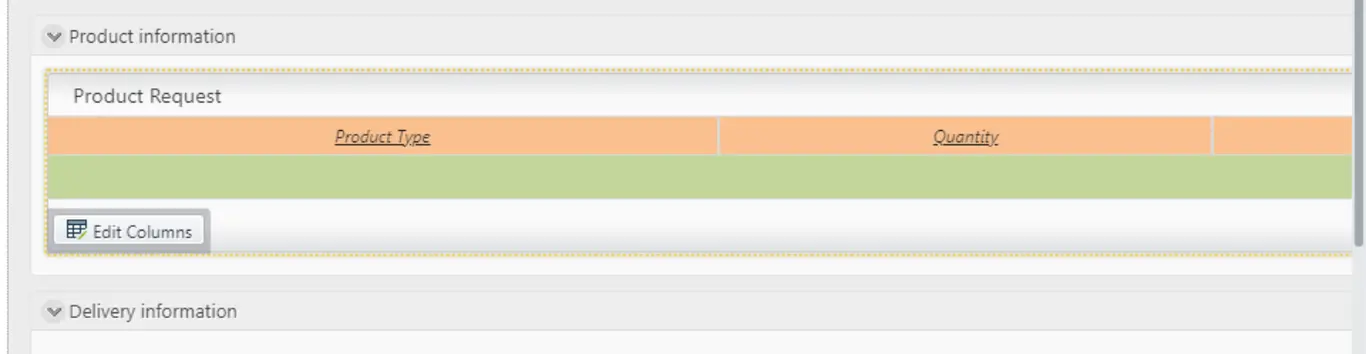
Here’s how these changes appear in Bizagi Studio.
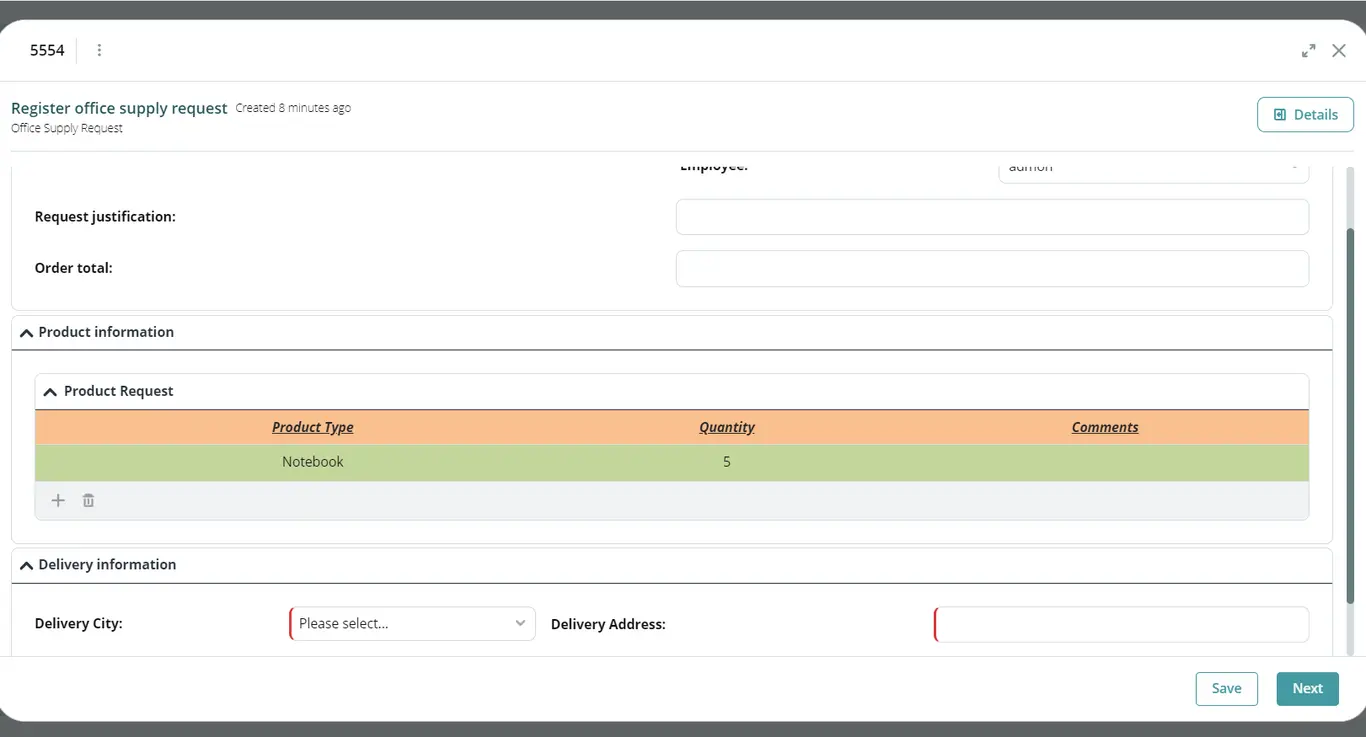
Work Portal
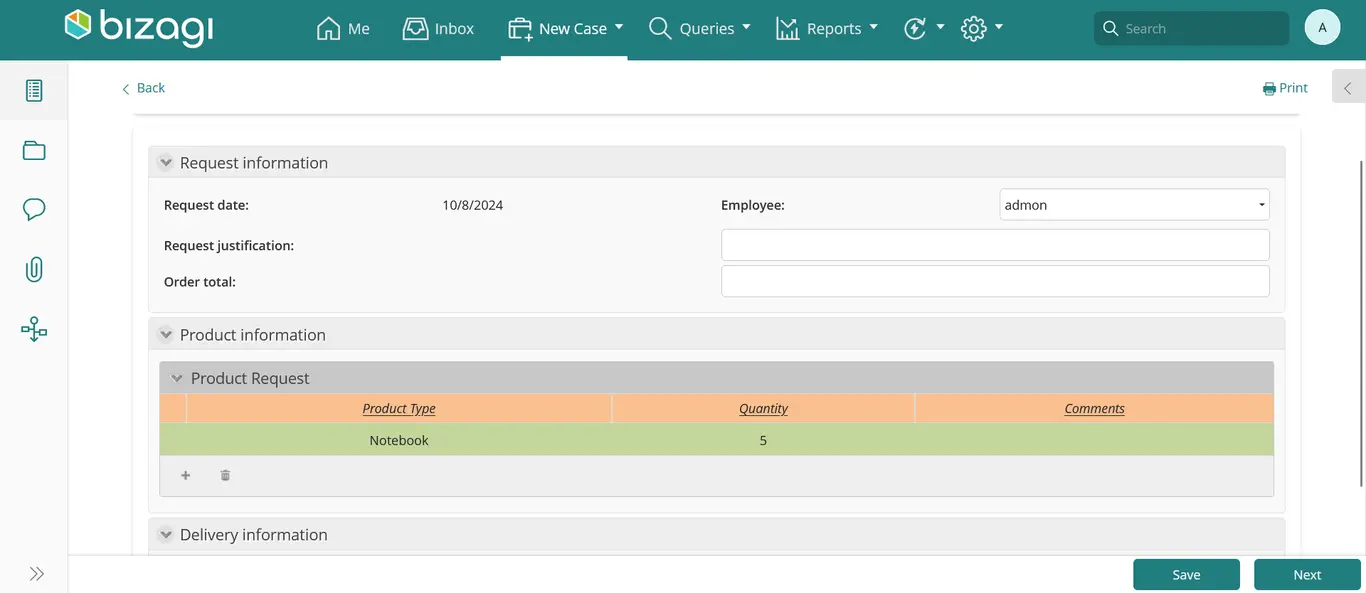
Here’s how these changes appear in the Work Portal.
Apps
There is a hierarchy that determines the color applied to tables. The priority order, from highest to lowest importance, is as follows:
1.Actions and Validations
2.Format and Header Format
3.Color Palette
4.Predetermined view of Bizagi Apps
Each level in this hierarchy overrides the one below it, ensuring that table colors follow the most specific configurations first.
Here’s how these changes appear in a published app of Bizagi Apps.
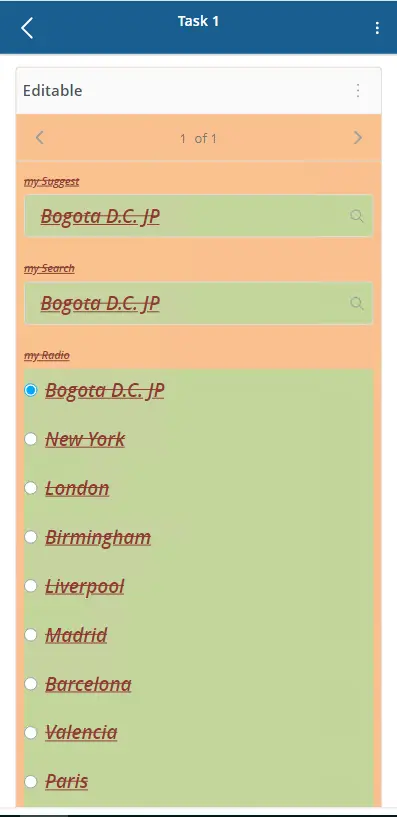
Mobile application
Here’s how these changes will appear in the Bizagi mobile application.
Last Updated 10/29/2024 12:40:11 PM