
دریافت مقدار Boolean
Original Bizagi title: Low-code Process Automation > Studio Cloud - Authoring environment > Bizagi Studio > Process wizard > Business Rules > Business Rules examples > Math operations, strings and data validations > Obtain Boolean value
اتوماسیون فرایند Low-code / محیط طراحی Studio Cloud / Bizagi Studio / Wizard فرایند / Ruleهای کسبوکار / قواعد کسبوکار / مثالهای Ruleهای کسبوکار / , داده اعتبارسنجی ها / دریافت مقدار Boolean
Bizagi offers a function where you can obtain the Boolean value of a parameter. It returns true if the parameter equals 1 or true. The function is as follows:
CHelper.getBoolean(value)
The following attribute is needed:
•Value: String to be evaluated.
This function is useful when you have string-like controls, where you need users to type-in an answer.
Example
In the following example, Office Supply Request, the request is approved by an external system, the response must be stored in the attribute Approved of the Product Request entity.
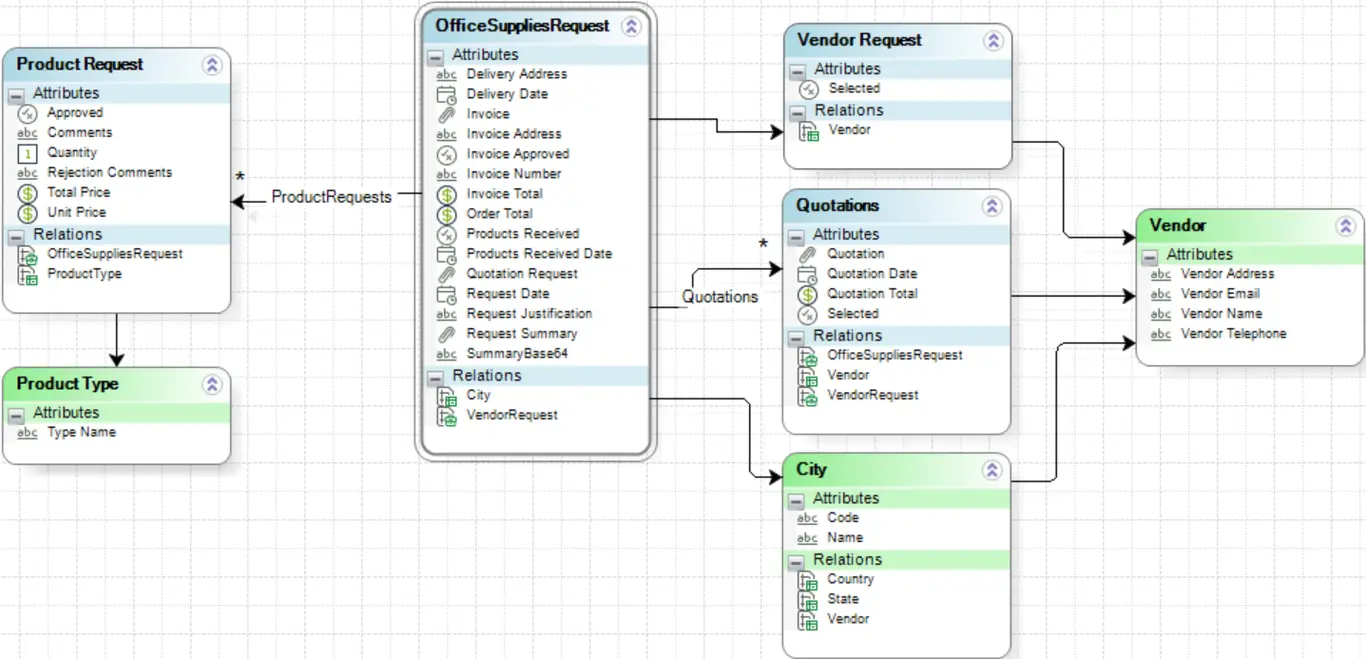
The response will come as 1 if the request is approved and 0 if not. To store this value in our Boolean attribute, we will store it in the sApproved parameter and then transform it into a Boolean value like this:
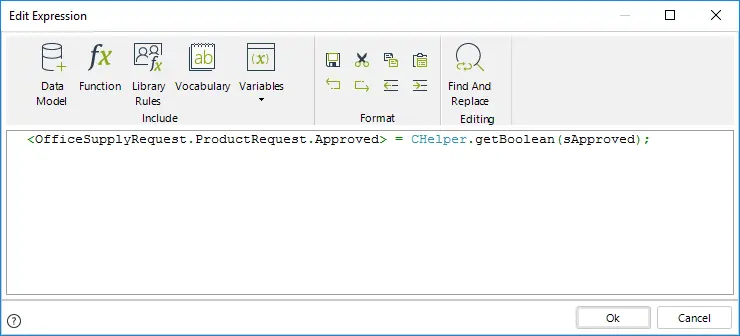
The code in the image above is as follows:
<OfficeSupplyRequest.ProductRequest.Approved> = CHelper.getBoolean(sApproved);
Last Updated 1/6/2022 4:18:33 PM