
افزودن کنترل Document Template برای تولید خودکار
Original Bizagi title: Low-code Process Automation > Studio Cloud - Authoring environment > Bizagi Studio > Document Templates > Define how to generate the Document Template > Include a Document template control to generate automatically
اتوماسیون فرایند Low-code / محیط طراحی Studio Cloud / Bizagi Studio / قالبهای سند / تعریف نحوه تولید قالب سند / افزودن کنترل Document Template برای تولید خودکار
1. Create a File type attribute in the data model.
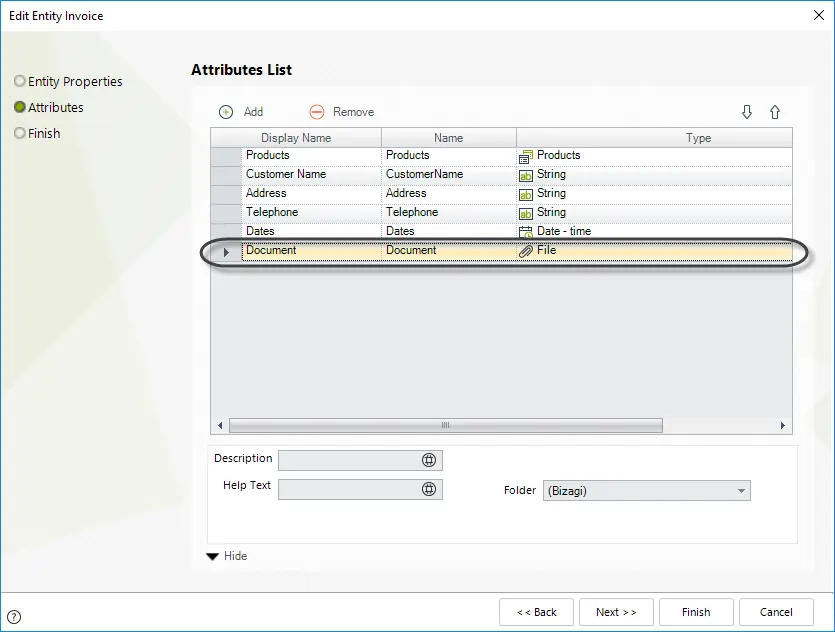
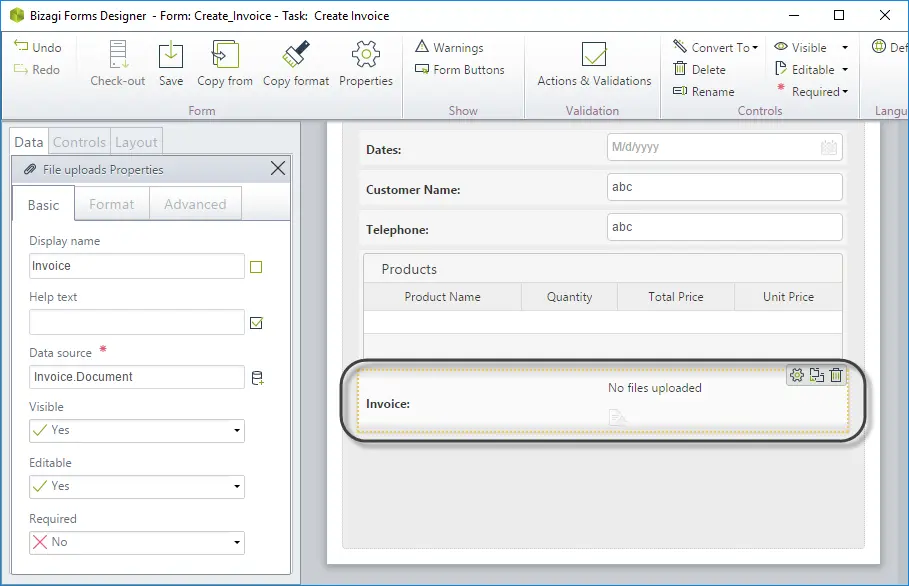
2. Insert a File control.
Go to the Data tab of the Forms Modeler. Drag and drop the File control to the place where you want it in the form.
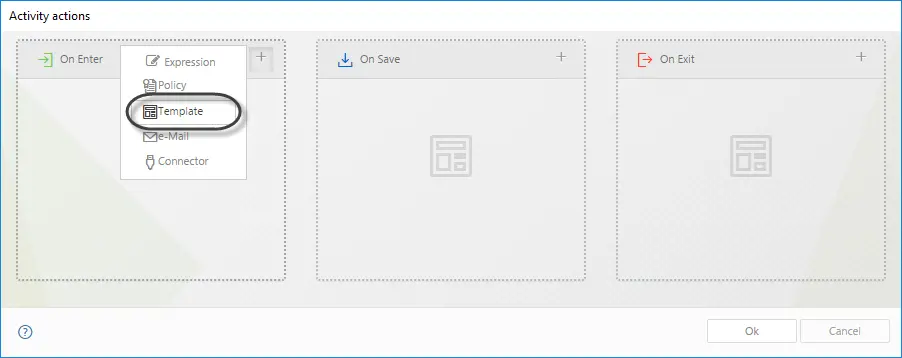
3. Go to the fourth step of the Process Wizard and select Activity Actions.
Select the Task where the Document will be generated and include a Template On Enter, On Save or On Exit.
4. The Document Configuration Wizard will display.
Enter the name of the Document to be generated and select the Data binding or XPath.
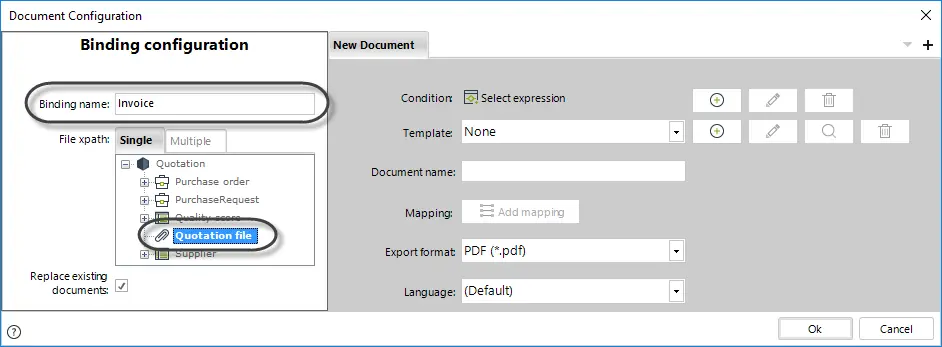
Replace existing documents: If checked, the document will overwrite existing documents with the same name. Otherwise, a new document will be created.
Last Updated 3/3/2022 11:42:34 AM