
اجزای Form Designer
Original Bizagi title: Low-code Process Automation > Studio Cloud - Authoring environment > Bizagi Studio > Process wizard > Define Forms > Form Designer components
اتوماسیون فرایند Low-code / محیط طراحی Studio Cloud / Bizagi Studio / Wizard فرایند / تعریف فرمها / اجزای Form Designer
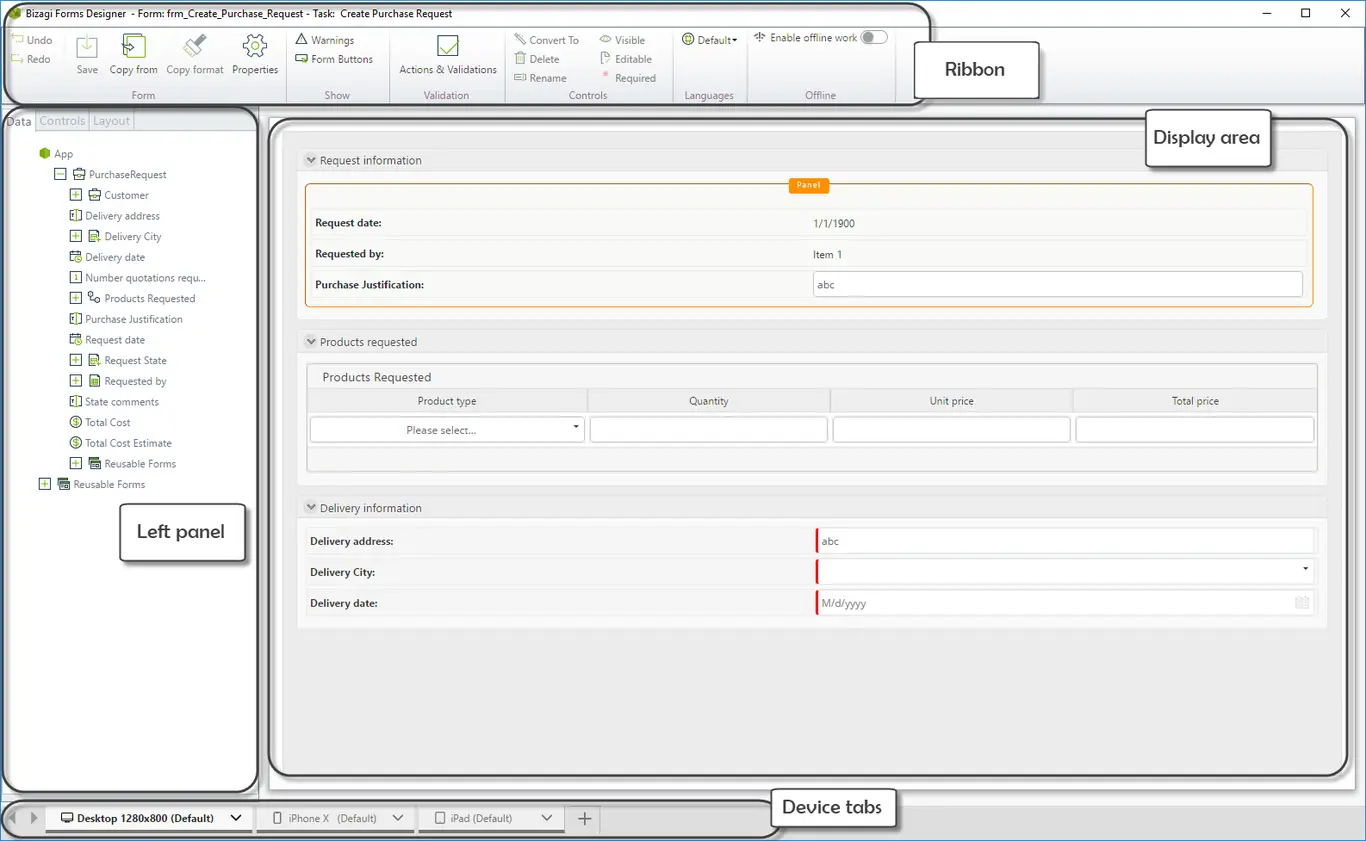
The Forms Designer is divided in four parts.
•Ribbon: Presents a set of commands that are relevant to the form as a whole and contextual commands related to the current control selected in the form.
•Left panel: Contains three tabs.
oThe Data tab provides access to the data model.
oThe Control tab displays all controls for inclusion in the form.
oThe Layout tab enables you to manipulate the design of the form, specifically the separation of content into different sections.
•Display area: The display area, on the right, is where you design the form
•Device tabs: The device tabs present the different devices and form types created for the given task.
Last Updated 1/6/2022 11:22:35 AM