
Deep Insert
Original Bizagi title: Low-code Process Automation > Studio Cloud - Authoring environment > Bizagi Studio > Integrating external applications from Bizagi > SAP integration > SAP BTP using OData > Configure the SAP BT Platform connector in Bizagi > Deep Insert
اتوماسیون فرایند Low-code / محیط طراحی Studio Cloud / Bizagi Studio / یکپارچهسازی برنامههای خارجی از داخل Bizagi / یکپارچهسازی SAP / SAP BTP با استفاده از OData / پیکربندی Connector مربوط به SAP BT Platform در Bizagi / Deep Insert
After configuring the Client Credentials Flow you can add new actions to continue the configuration of the SAP Connector. One of the features you can use to further configure the SAP Connector is the Deep Insert Feature.
To access this feature go to the Bizagi BT SAP Connector an right click. Then select add new actions.
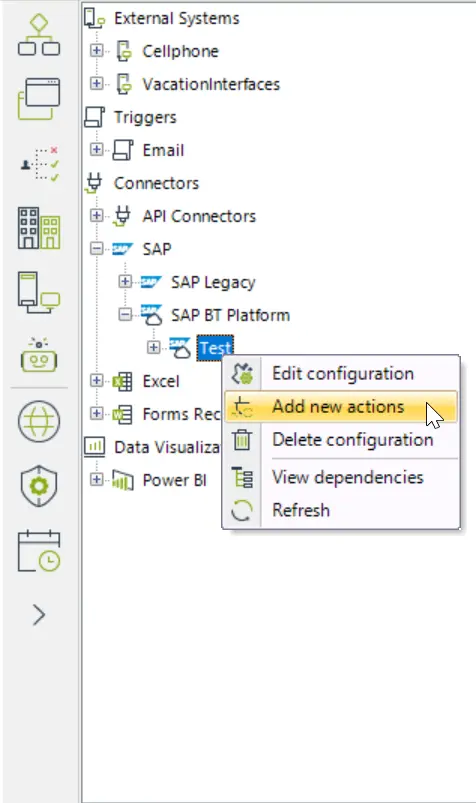
There, a new menu appears where you can add navigation properties. Deep Insert lets you use the navigation properties to establish relationships between entitites in a service, and this enables the navigation between different data sets.
You can add navigation properties to the GET and CREATE actions.
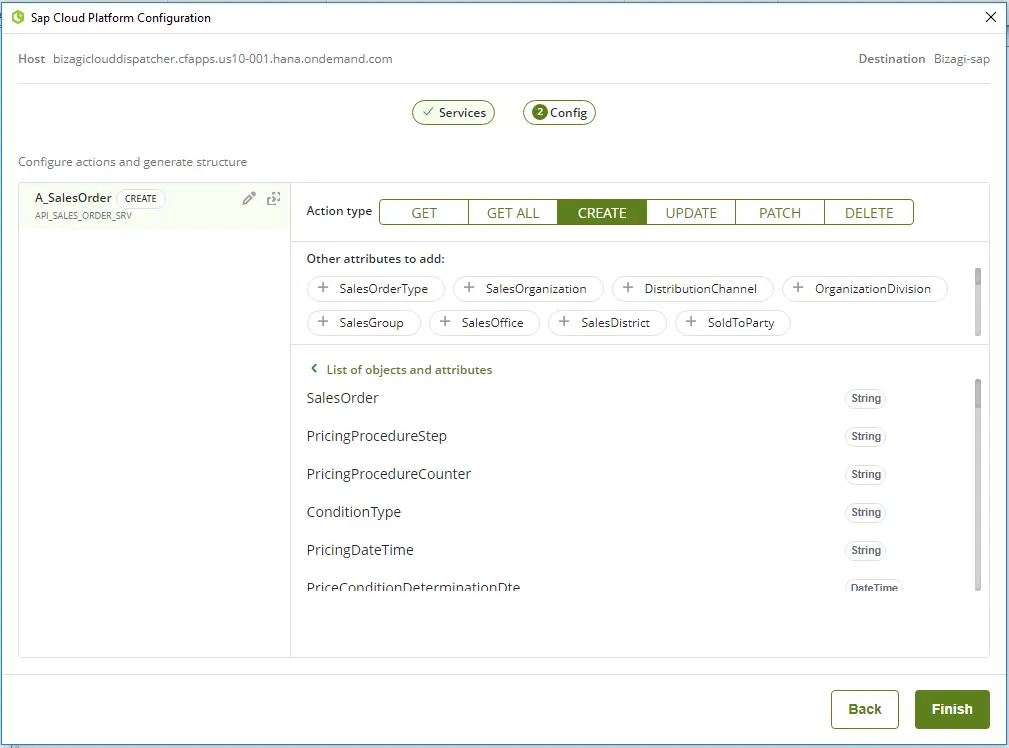
To do so, click the attributes that appear in the section Other attributes to add.
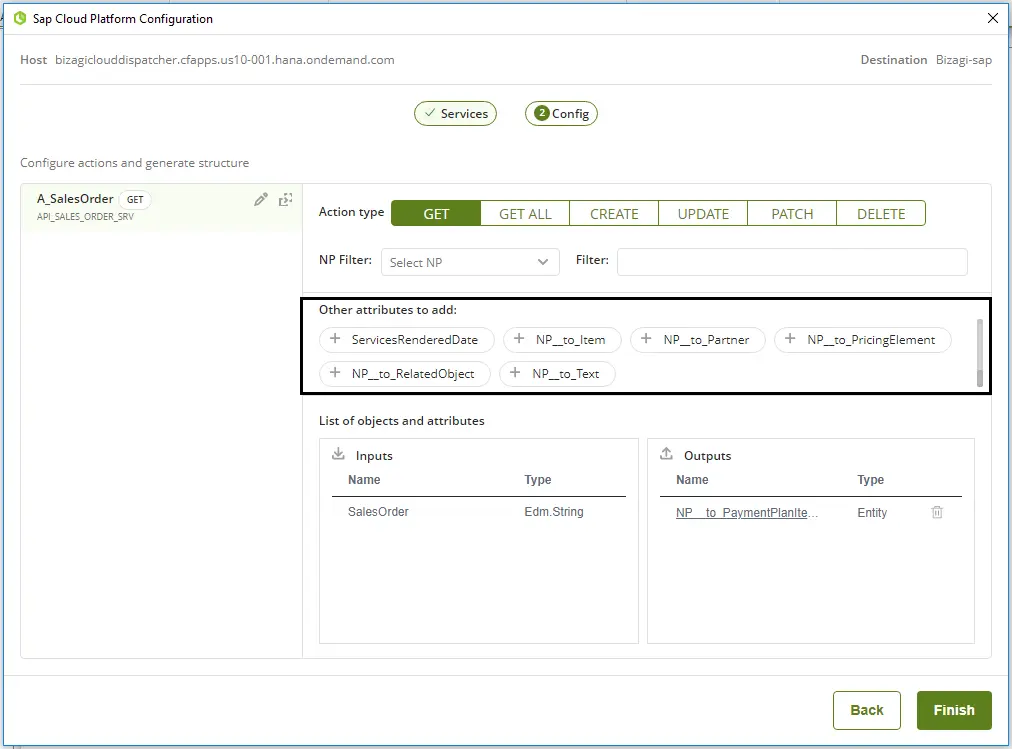
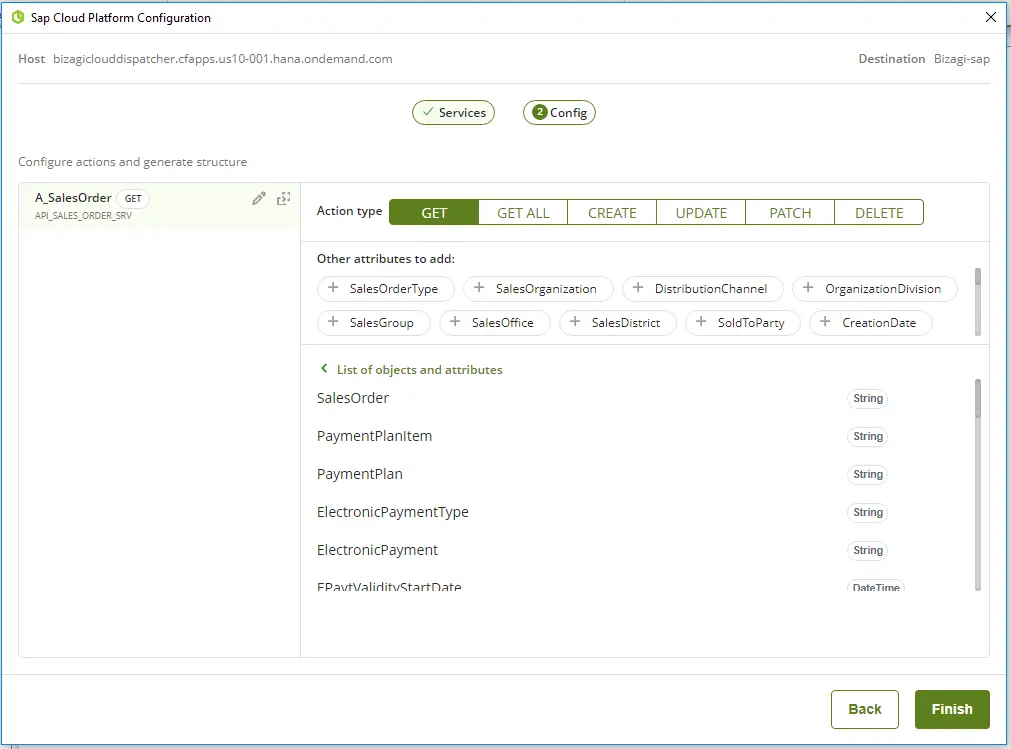
The selected attributes will then appear in the List of objects and attributes section and in the data model.
Ins and Outs
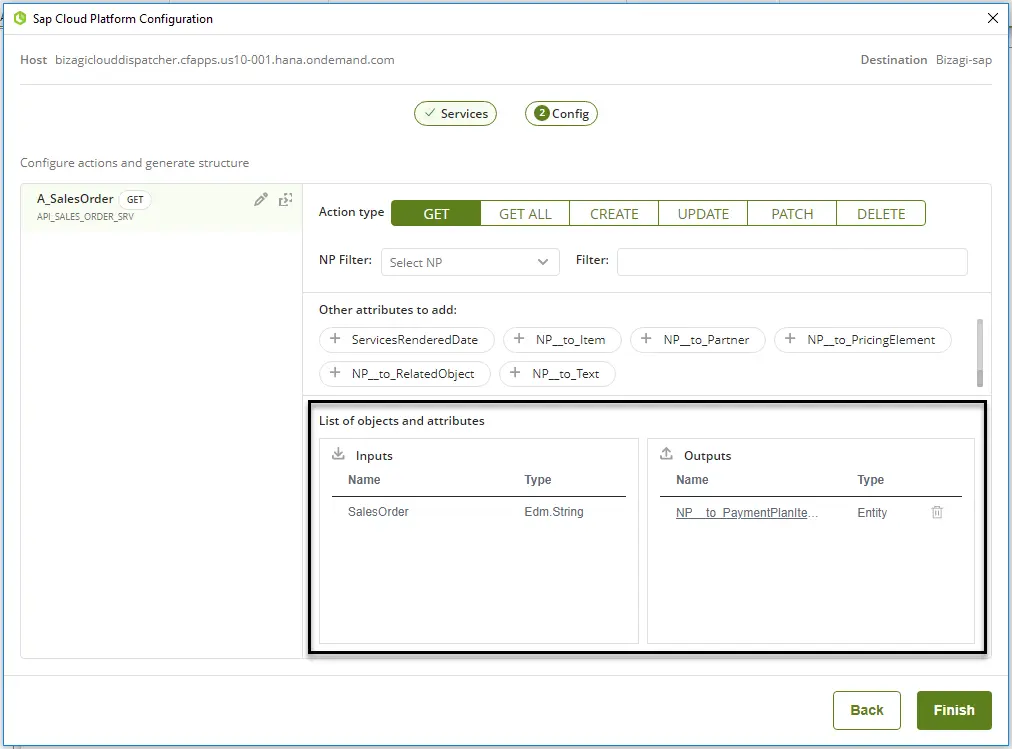
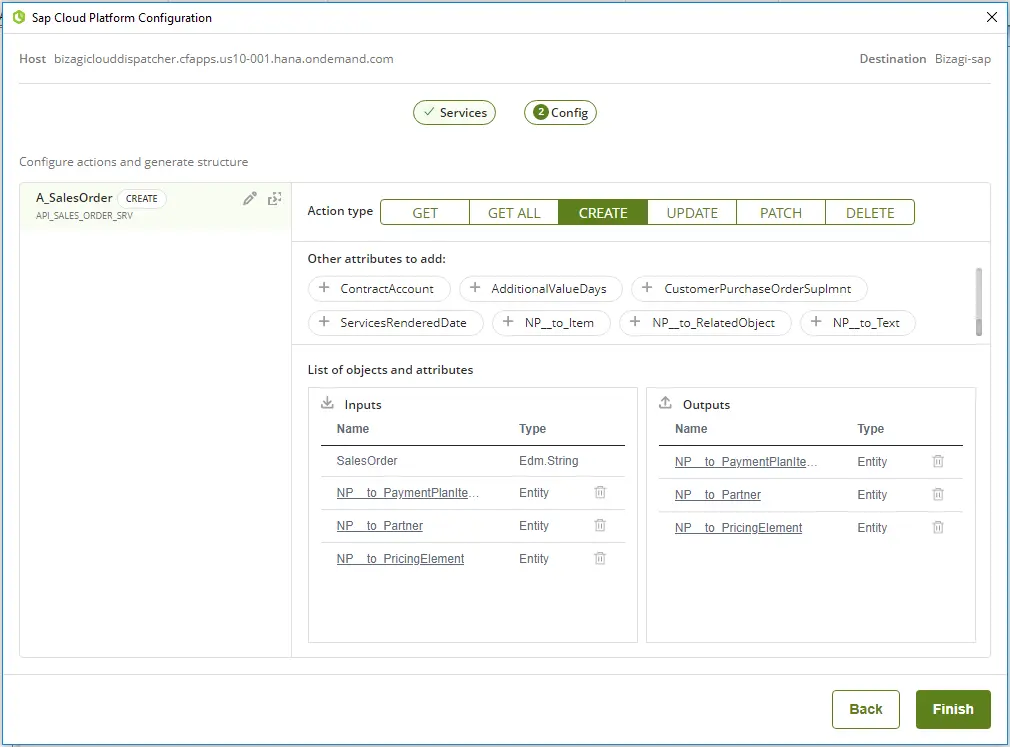
Another feature present in this section is Ins and Outs. In the bottom section of the configuration menu you can find the inputs and outputs of a process according to the attributes selected with the navigation properties. These can also be deleted with the  (trashcan) icon.
Create Method
Deep insert also works for the CREATE action. The difference between GET and CREATE is that for the GET methods the inputs and outputs are equal, but for CREATE there can be additional outputs. The result is shown as in the following example:
Last Updated 2/13/2024 3:28:55 PM