
افزودن Process مربوط به Blue Prism به اتصال پیکربندیشده
Original Bizagi title: Low-code Process Automation > Studio Cloud - Authoring environment > Bizagi Studio > Bots > Blue Prism bot integration > Adding a Blue Prism Process to your configured connection
اتوماسیون فرایند Low-code / محیط طراحی Studio Cloud / Bizagi Studio / Botها / رباتها / یکپارچهسازی Bot با Blue Prism / افزودن Process مربوط به Blue Prism به اتصال پیکربندیشده
Adding a Blue Prism Process to your configured connection
After successfully configuring the connection, you need to add the Blue Prism process that you want to trigger from Bizagi. You can do this by clicking the connection and then clicking the Add Blue Prism process button.
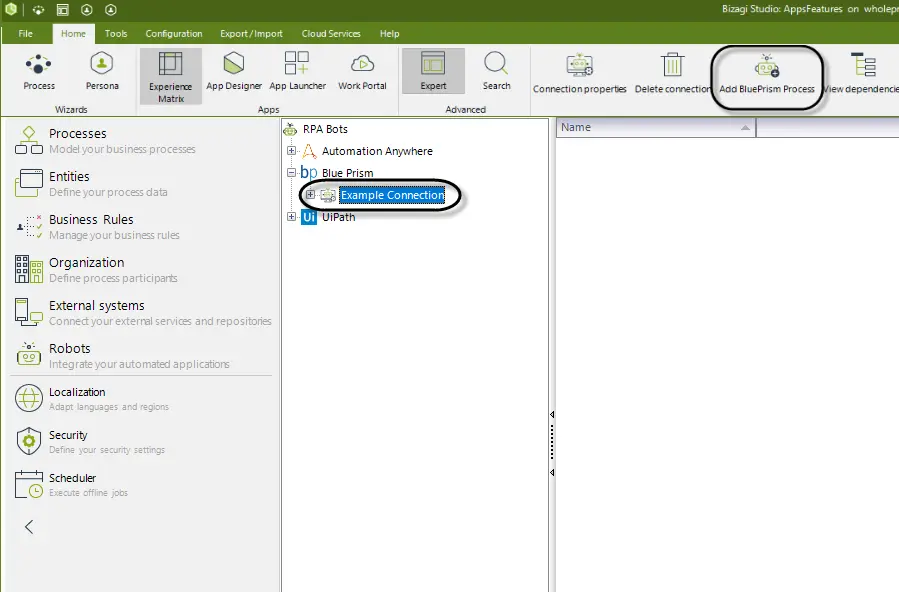
The Blue Prism Process Configuration wizard appears. Here you can see all the available processes from your server.
|
Bizagi can only access exposed elements. Expose your process along with any VBO object used in the process. Do this in your Blue Prism - Robotic Process Automation Software under the System settings. |

Configuring a Process
In the first step of the Wizard provide a Display Name for your process and click Next.
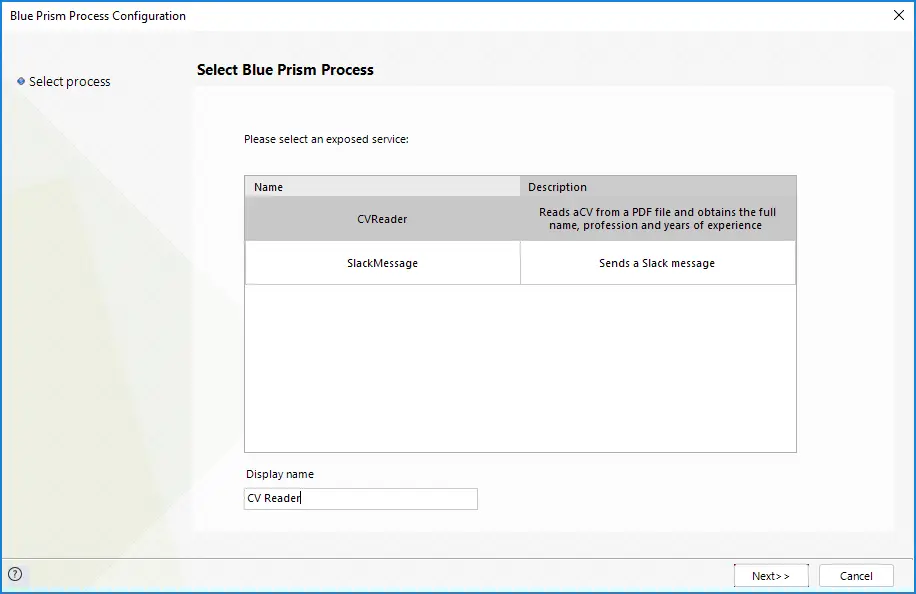
In the next window you will see the inputs and outputs that the Bot has along with their type.
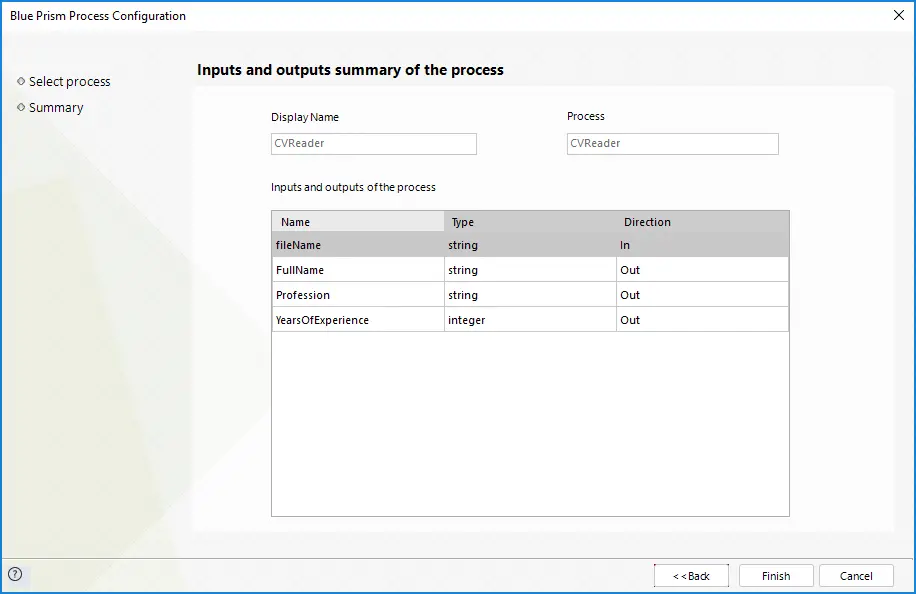
Click Finish.
Last Updated 1/27/2023 3:57:38 PM