
Validationهای پایه
Original Bizagi title: Low-code Process Automation > Studio Cloud - Authoring environment > Bizagi Studio > Process wizard > Define Forms > Customizing controls behavior > Actions and Validations > Form Validations components > Basic Validations
اتوماسیون فرایند Low-code / محیط طراحی Studio Cloud / Bizagi Studio / Wizard فرایند / تعریف فرمها / سفارشیسازی رفتار Controlها / Actionها و Validationها / اجزای Validationهای فرم / Validationهای پایه
In the next example we will show you how to configure a basic validation:
In a Vacations request process we will like to show a validation message when the Leaving date is greater than the Returning date (which makes no sense).
|
We strongly suggest that if you choose to use Actions and Validations to control visibility, all visibility definitions must be done with actions and validations. Beware that combining visibility Actions with visibility Expressions will most likely fail in runtime. |

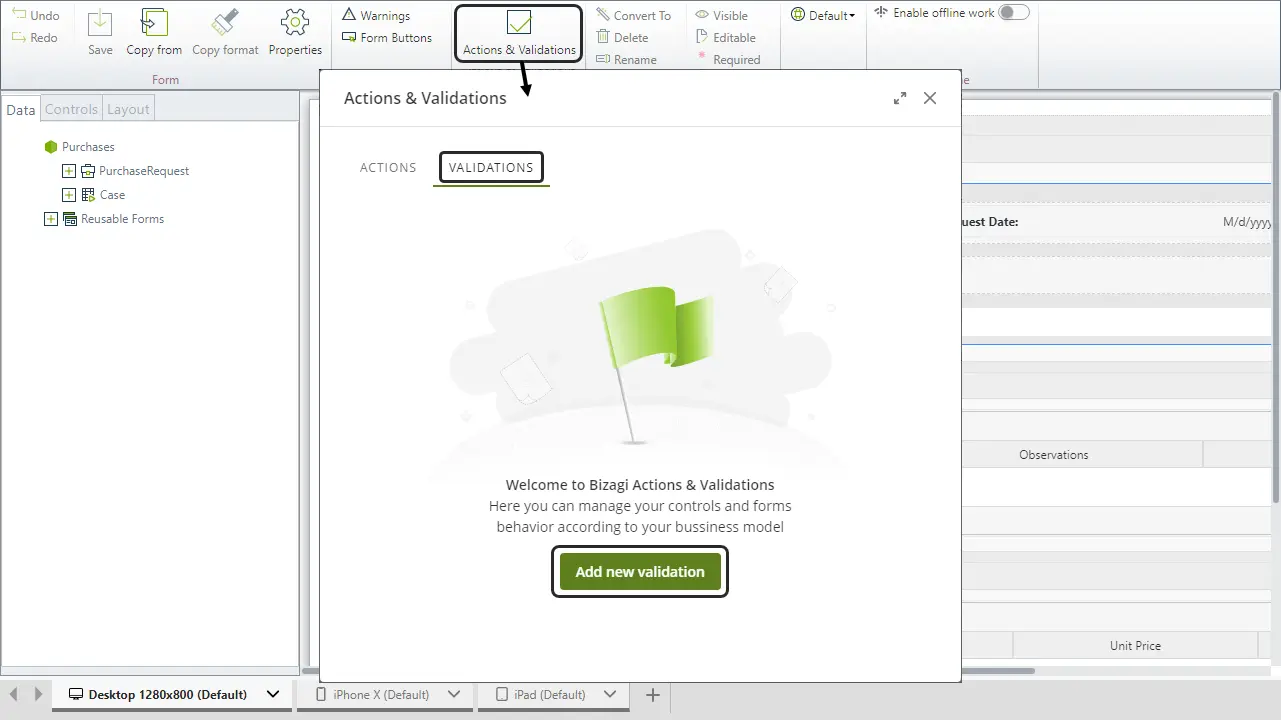
1. Create the Validation. On the Forms designer select Actions & Validations and add a new Validation.
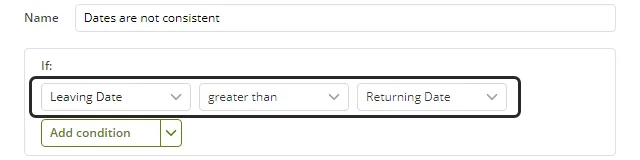
2. Give the validation a distinctive name to identify it, then include the desired conditions. Click Add a condition and select the controls, operators and arguments as follows.
If Leaving date is greater than Returning date.
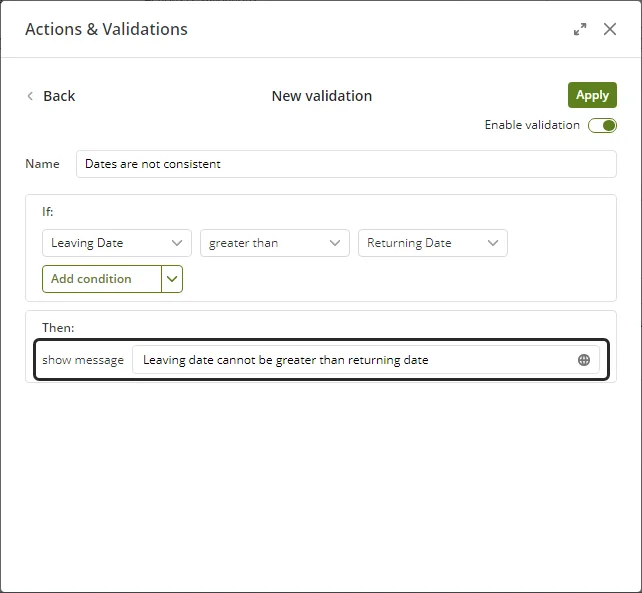
3. Add the message that will display when the condition is met.
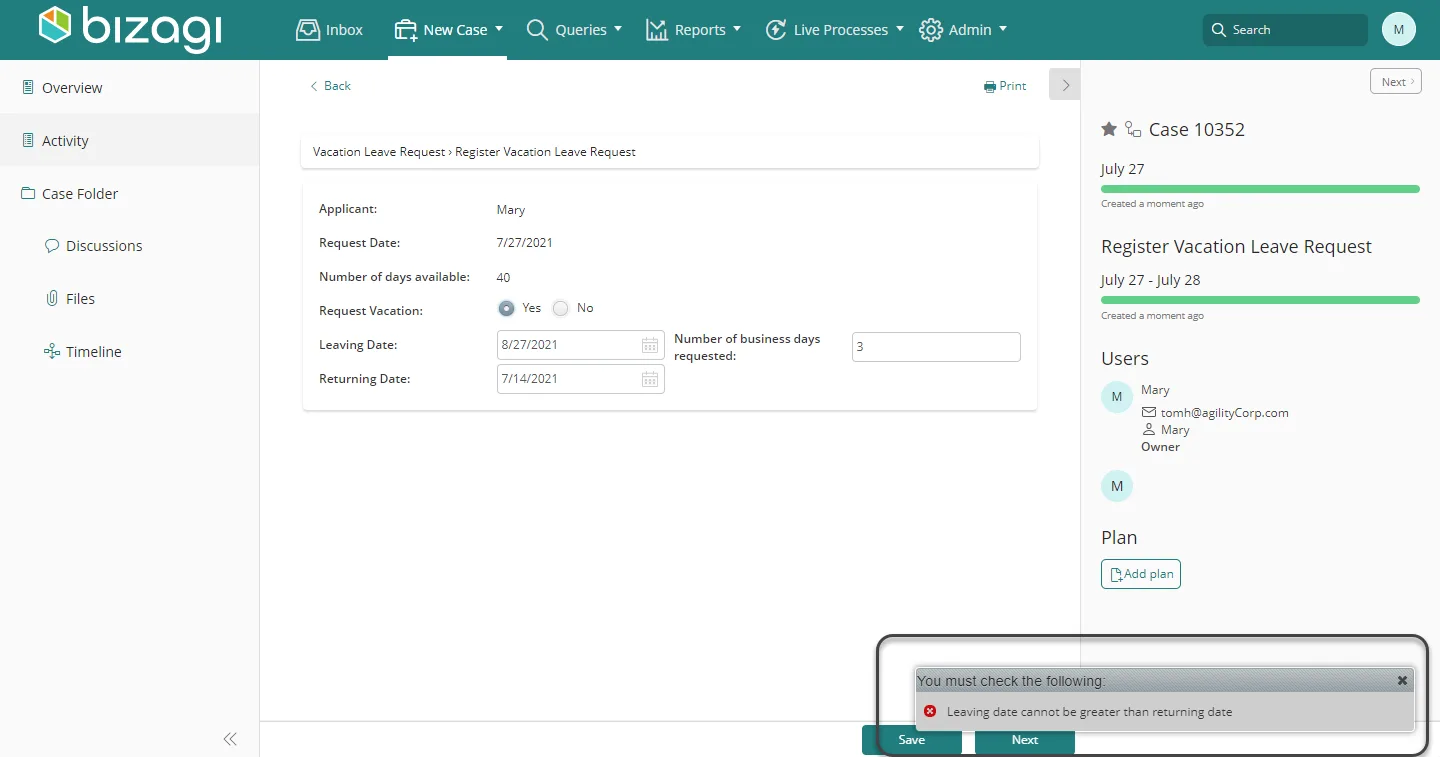
This is how the validation will be show in the Work Portal when the condition is met.
Last Updated 9/27/2022 7:11:45 PM