
استفاده از Artifactها / مصنوعات مدلسازی
Original Bizagi title: Low-code Process Automation > Studio Cloud - Authoring environment > Bizagi Studio > Process wizard > Model Process > Documenting a process > Using Artifacts
اتوماسیون فرایند Low-code / محیط طراحی Studio Cloud / Bizagi Studio / Wizard فرایند / مدلسازی فرایند / مستندسازی یک فرایند / استفاده از Artifactها / مصنوعات مدلسازی
Artifacts provide modelers with the capability of showing additional information about the process that is not directly related to the flow.
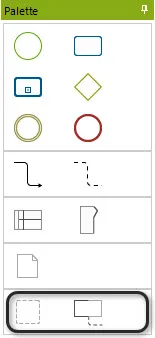
Artifacts are found in the Palette. There are five types provided by default, and a user-defined Custom Artifact.
ELEMENT |
DESCRIPTION |
NOTATION |
|---|---|---|
Group |
An artifact that provides a visual mechanism to group elements of a diagram informally. The Group can be used for documentation or analysis purposes, without impacting process flow. |
|
Annotation |
Is a mechanism for a modeler to provide additional information for the reader of a BPMN Diagram. To include line breaks in the text use CTRL+ENTER |
|


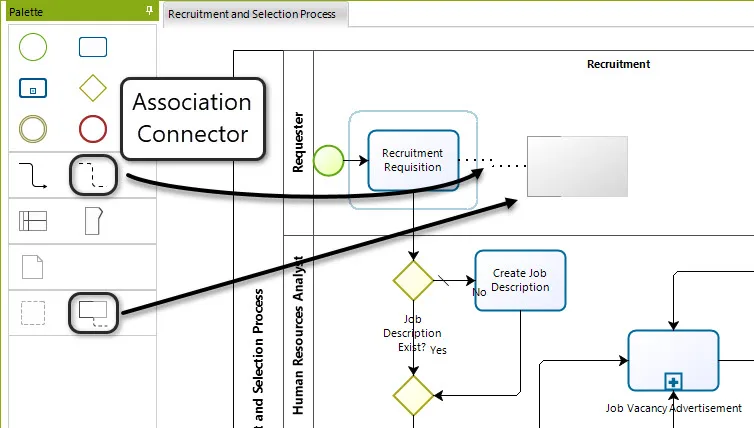
To include an Artifact select it from the Palette and drag and drop it onto the diagram.
To connect an artifact with an element use the Association Connector.
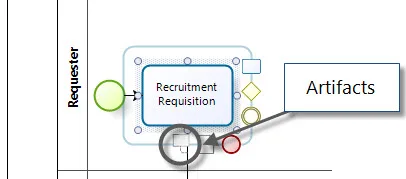
Some artifacts can be placed on the diagrams using the Pie Menu as shown in the image below.
Click on the element, select the Artifact and then drag and drop it appropriately.
Last Updated 7/5/2023 10:50:37 AM